Free Delivery For the orders above 1000 AED


 COD
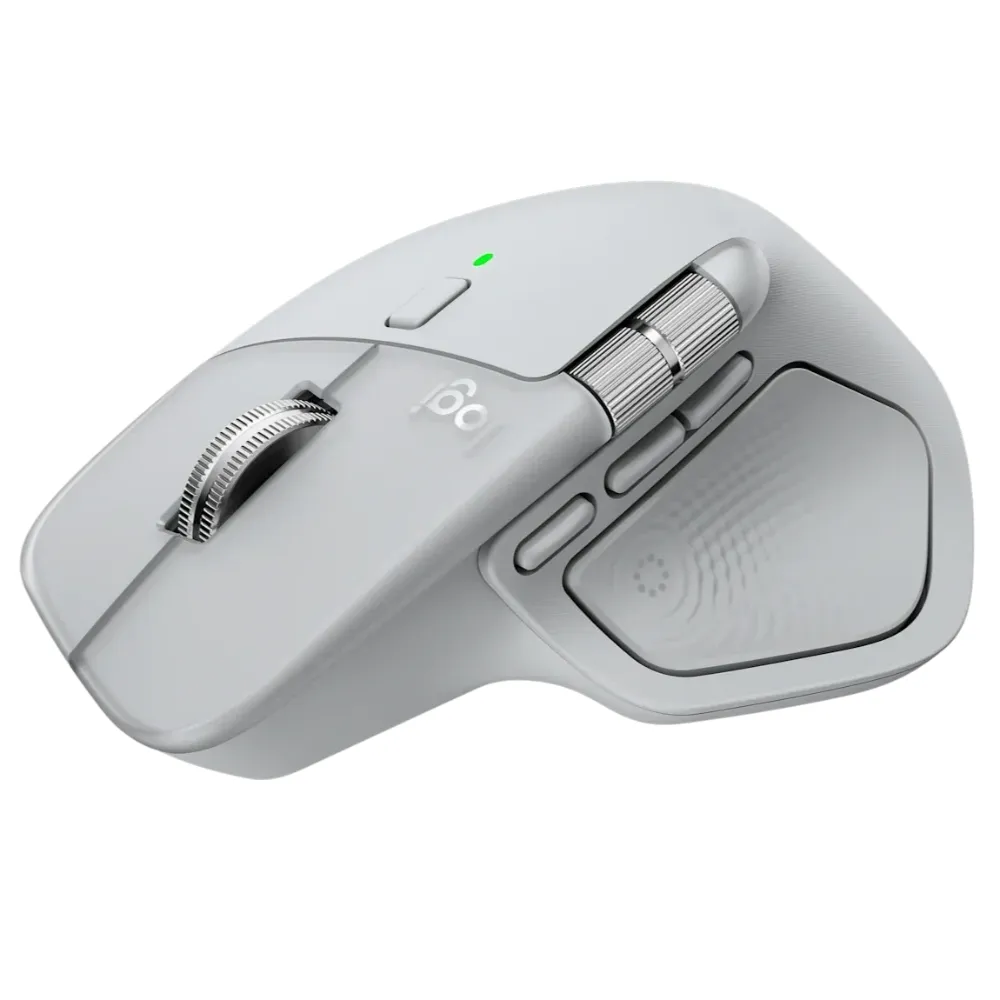
COD The Logitech MX Master 4 is a premium high-performance wireless mouse designed for professionals, creators, developers, designers, and users who want advanced control and customization across multiple devices.
Its standout feature is the Haptic Sense Panel, which provides customizable haptic feedback for supported actions, shortcuts, gestures, notifications, and compatible applications through Logi Options+.
The MX Master 4 also combines an 8000 DPI Darkfield high-precision sensor, MagSpeed electromagnetic scrolling, Quiet Click technology, Bluetooth Low Energy connectivity, a USB-C Logi Bolt receiver, and multi-device support in a comfortable ergonomic design.
Finished in Pale Gray, it is designed for advanced workflows across Windows, macOS, Linux, ChromeOS, iPadOS, and Android.
One of the key upgrades of the Logitech MX Master 4 is its Haptic Sense Panel.
The mouse can provide customizable tactile feedback for supported functions including:
Supported plugin examples supplied include:
Haptic feedback can be customized through Logi Options+, allowing users to adjust the experience according to their workflow.
The Actions Ring brings frequently used tools, shortcuts, and commands directly to the cursor.
According to Logitech’s supplied study data, Actions Ring shortcuts can save up to 33% of time and reduce mouse movement by up to 63% in tested workflows.
Actual results depend on the shortcuts, applications, and user workflow.
The MX Master 4 uses Logitech’s Darkfield high-precision sensor.
Tracking specifications include:
The sensor is designed to track on virtually any surface, including glass with a minimum thickness of 4mm.
This makes the mouse particularly practical for users working on:
The MX Master 4 includes Logitech’s MagSpeed electromagnetic scroll wheel.
It supports:
The machined steel scroll wheel is designed for precise navigation through long documents, spreadsheets, timelines, code, and webpages.
A separate thumb wheel provides horizontal scrolling.
The MX Master 4 includes 8 buttons, giving users extensive control and customization options.
The supplied features include:
The MX Master 4 is designed with quieter primary buttons.
According to the supplied Logitech information, the left and right clicks produce up to 90% less sound power compared with the MX Master 3.
This can make the mouse useful in:
The shape and button placement are designed to support a natural hand and arm position during extended use.
The Logitech MX Master 4 supports wireless connectivity through:
Bluetooth specification:
Bluetooth Low Energy 5.1
Wireless range:
Up to 10 meters
The mouse can connect with up to three devices and switch between them using Easy-Switch controls or supported Actions Ring functions.
The supplied package includes a:
USB-C Logi Bolt receiver
The mouse is compatible with both USB-C and USB-A Logi Bolt receivers, although the supplied box specifically includes the USB-C receiver.
Logitech states the MX Master 4 provides up to 2× stronger connectivity compared with the MX Master 3S, based on its upgraded radio chip and antenna design.
The MX Master 4 can be customized using Logi Options+ on supported Windows and macOS systems.
Users can customize:
With Logi Options+, supported users can use Flow functionality to work across compatible computers and operating systems.
This can allow:
This feature requires compatible devices and Logi Options+.
The MX Master 4 includes a:
650mAh rechargeable battery
Logitech lists battery life of up to:
70 days on a full charge
Actual battery life varies depending on usage and operating conditions.
The mouse supports USB-C quick charging.
According to the supplied specification:
1 minute of charging can provide up to 3 hours of use.
The mouse can continue to be used while connected for charging.
Important: A USB-C charging cable is not included in the package.
The MX Master 4 is designed for use across major operating systems.
Supported platforms include:
Supported platforms include:
Advanced customization through Logi Options+ is available on supported Windows and macOS systems.
Basic mouse functions are available on other supported operating systems without the software.
The 8000 DPI sensor, horizontal scrolling, Actions Ring, haptic feedback, and application customization make it useful for supported design and editing workflows.
Custom shortcuts, Smart Actions, multi-device support, quiet clicks, and fast scrolling can help streamline coding and development workflows.
The ergonomic shape, quiet clicks, multi-device connectivity, and long battery life make it suitable for everyday office productivity.
MagSpeed scrolling makes it easier to move through large documents, spreadsheets, timelines, and webpages.
Users can connect up to three devices and switch between them, with additional Flow functionality available through Logi Options+.
The supplied package includes:
The Logitech MX Master 4 combines precision tracking, advanced scrolling, haptic feedback, quiet operation, multi-device connectivity, and extensive software customization in a professional productivity mouse.
Its 8000 DPI Darkfield sensor provides accurate tracking across a wide range of surfaces, while MagSpeed scrolling makes navigating long documents and timelines significantly faster.
The Haptic Sense Panel and Actions Ring introduce additional workflow controls, while Logi Options+ allows users to customize buttons, gestures, plugins, Smart Actions, and application-specific commands.
Bluetooth Low Energy, the included USB-C Logi Bolt receiver, support for up to three devices, and up to 70 days of listed battery life make the MX Master 4 especially suitable for users who work across multiple devices and platforms.
When shopping at Tech Point Zone, customers can enjoy a reliable and convenient technology shopping experience across the UAE.
Choose Tech Point Zone for Logitech mice, keyboards, webcams, accessories, laptops, monitors, and technology products in Dubai and across the UAE.
| Specification | Details |
|---|---|
| Brand | Logitech |
| Series | MX Master |
| Model | MX Master 4 |
| Product Type | High-Performance Wireless Mouse |
| Color | Pale Gray |
| Part Number | 910-007563 / 910-007559 |
| Tracking Technology | Darkfield High Precision |
| Nominal DPI | 1000 DPI |
| Minimum DPI | 200 DPI |
| Maximum DPI | 8000 DPI |
| DPI Adjustment | 50 DPI Increments |
| Surface Tracking | Virtually Any Surface |
| Glass Tracking | Yes, 4mm Minimum Glass Thickness |
| Number of Buttons | 8 |
| Scroll Wheel | MagSpeed |
| Smart Shift | Yes |
| Hyper-Fast Scrolling | Yes |
| Maximum Scroll Speed | Up to 1,000 Lines/Second |
| Horizontal Scroll | Yes |
| Thumb Wheel | Yes |
| Gesture Button | Yes |
| Haptic Feedback | Yes |
| Haptic Sense Panel | Yes |
| Quiet Clicks | Yes |
| Customization Software | Logi Options+ |
| Smart Actions | Yes |
| Actions Ring | Yes |
| Multi-Device Support | Up to 3 Devices |
| Connection Type | Wireless |
| Bluetooth | Bluetooth Low Energy |
| Bluetooth Version | BLE 5.1 |
| Logi Bolt | Yes |
| Included Receiver | USB-C Logi Bolt Receiver |
| Receiver Compatibility | USB-C & USB-A Logi Bolt |
| Wireless Range | Up to 10m |
| Battery Type | Rechargeable |
| Battery Capacity | 650mAh |
| Battery Life | Up to 70 Days |
| Quick Charge | Approx. 3 Hours Use from 1 Minute Charge |
| Charging Interface | USB-C |
| Charging Cable Included | No |
| Windows Compatibility | Yes |
| macOS Compatibility | Yes |
| Linux Compatibility | Yes |
| ChromeOS Compatibility | Yes |
| iPadOS Compatibility | Yes |
| Android Compatibility | Yes |
Hand-picked products from Accessories
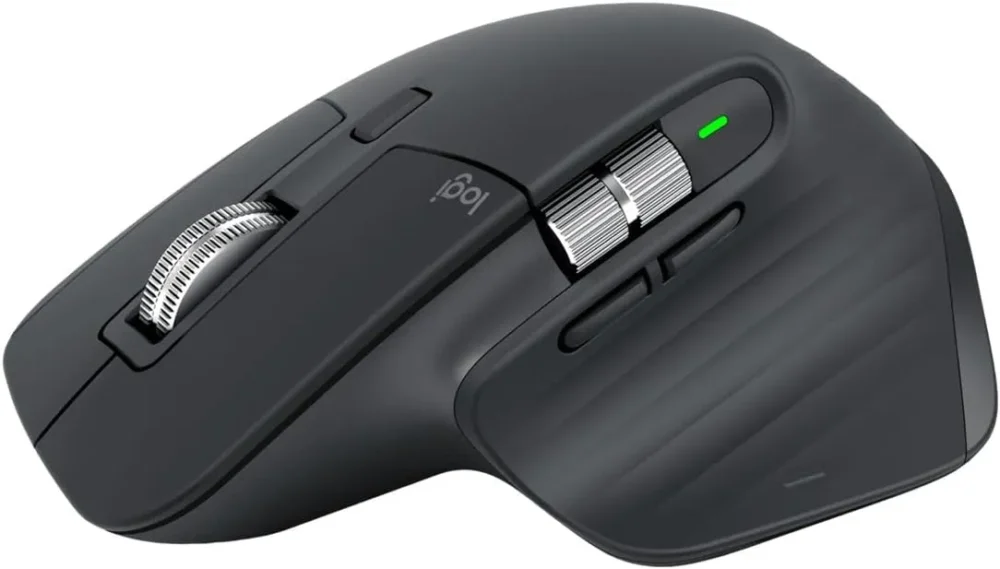
The product is the Logitech MX Master 4 High-Performance Wireless Mouse.
This configuration is Pale Gray.
The Pale Gray part numbers supplied are:
910-007563 and 910-007559.
It uses Logitech's Darkfield high-precision optical tracking technology.
The sensor supports up to 8000 DPI.
The minimum setting is 200 DPI.
Yes. DPI can be adjusted in increments of 50 DPI.
Yes. Logitech states that it can track on glass with a minimum glass thickness of 4mm.
It has 8 buttons.
Yes. Horizontal scrolling is supported through the thumb wheel.
It uses the MagSpeed electromagnetic scroll wheel.
Logitech lists scrolling of up to 1,000 lines per second.
Yes. It includes the Haptic Sense Panel with customizable haptic feedback for supported actions.
Actions Ring is a customizable shortcut interface that brings frequently used tools and actions directly to the cursor.
Yes. Logi Options+ is supported on compatible Windows and macOS systems.
Yes. Flow is available through Logi Options+ on compatible devices.
Yes. It can connect to up to three devices.
The MX Master 4 is a wireless mouse supporting Bluetooth Low Energy and Logi Bolt connectivity.
The supplied technical specification lists Bluetooth Low Energy 5.1.
Yes. The supplied package includes a USB-C Logi Bolt receiver.
The receiver included in the supplied package is USB-C.
Yes. The supplied specification states that the MX Master 4 is compatible with both USB-C and USB-A Logi Bolt receivers.
The listed wireless range is approximately 10 meters.
It uses a 650mAh rechargeable battery.
Logitech lists up to 70 days of use on a full charge. Actual battery life varies according to usage.
Yes. Logitech states that approximately one minute of charging can provide up to three hours of use.
It charges through USB-C.
No. The supplied specification explicitly states that the charging cable is not included.
Yes. Logitech states that the MX Master 4 produces up to 90% less click noise than the MX Master 3 under its comparison methodology.
Yes.
Yes.
Yes, although advanced Logi Options+ customization is mainly supported on Windows and macOS.
Yes. Basic functionality is supported on compatible iPadOS 15 or later devices.
Yes. Basic functionality is supported on compatible Android 12 or later devices.
The box includes the MX Master 4 mouse, USB-C Logi Bolt receiver, and user documentation.


There are no reviews yet.