
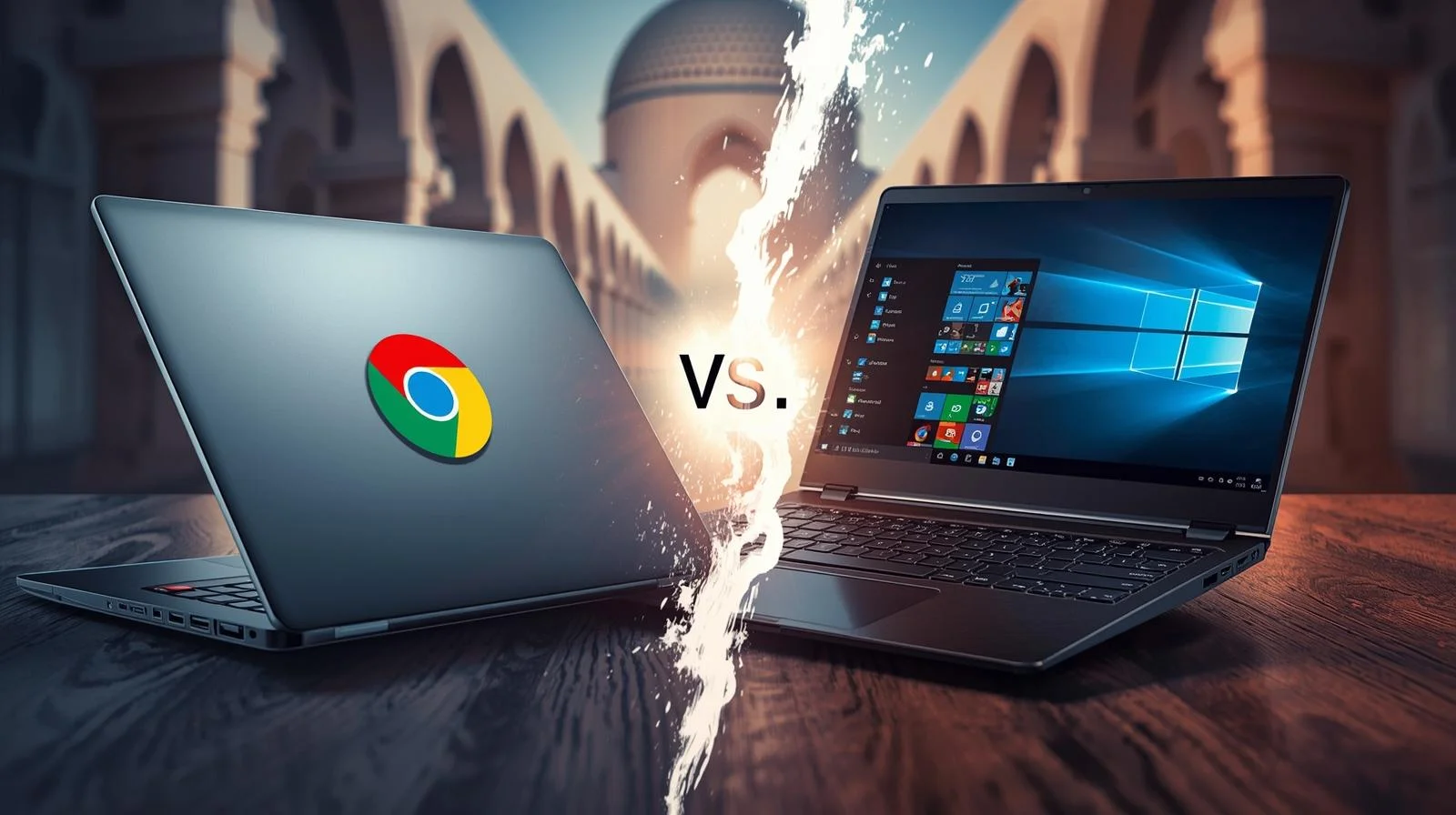
Buying a new computer feels confusing when you see Chromebooks sitting next to regular laptops. Both look similar. Both have keyboards and screens. But they work very differently.
This guide breaks down the real differences between Chromebooks and laptops. Whether you need a device for your child’s school, office work, or personal use in Dubai, Abu Dhabi, or anywhere in the UAE, you will find your answer here.
What is a Chromebook?
A Chromebook runs on Chrome OS, an operating system built by Google. Think of it as a laptop designed around the Chrome browser. Everything happens online, your files are saved to Google Drive, apps run through the browser, and updates happen automatically.
Google launched Chromebooks in 2011. Since then, they have become popular in schools worldwide. The UAE education sector now uses them in many institutions for classroom learning.
Chromebooks boot up in seconds, rarely get viruses, and cost less than traditional laptops. But they come with trade-offs that matter depending on your needs.
What is a Traditional Laptop?
A traditional laptop runs Windows (from Microsoft) or macOS (from Apple). These operating systems support thousands of desktop applications, including Microsoft Office, Adobe Photoshop, and professional video editing software.
Laptops store files locally on built-in hard drives or SSDs. They work perfectly without the internet. You can install any programme you need, play demanding games, and handle heavy tasks like 3D rendering or software development.
At Tech Point Zone, we stock laptops from HP, Dell, ASUS, Lenovo, and Acer. Each brand offers different strengths depending on your requirements.
Chromebook vs Laptop: Pros and Cons
Benefits of Chromebook
Lower Price Point
Most Chromebooks cost between AED 800 and AED 2,500. You get a functional computer without spending much. This makes them attractive for families buying devices for multiple children.
Excellent Battery Life
Chromebooks typically last 10 to 14 hours on a single charge. Chrome OS uses fewer resources than Windows, so the battery drains more slowly. Students can use them throughout the school day without having to carry chargers.
Fast Startup
Press the power button, and your Chromebook opens in under 10 seconds. No waiting for updates. No loading screens. Just open and start working.
Built-in security
Chrome OS updates automatically in the background. Each tab and app runs in a separate “sandbox,” which prevents viruses from spreading. You do not need antivirus software.
Simple to Use
If you know how to use the Chrome browser, you know how to use a Chromebook. The interface stays clean and straightforward. Children and older adults find it easy to navigate.
Lightweight Design
Most Chromebooks weigh under 1.5kg. They slip into backpacks easily and do not strain shoulders during daily commutes across Dubai or Sharjah.
Limitations of Chromebook
Limited Software Compatibility
You cannot install traditional Windows programmes. No desktop Microsoft Office (only web version), no Adobe Premiere Pro, no AutoCAD. If your work requires specific software, a Chromebook will not work.
Internet Dependency
Chromebooks perform best when connected to WiFi. Yes, Google Docs works offline now, but many features still require an internet connection. In areas with unreliable connections, this becomes frustrating.
Low Storage Capacity
Most Chromebooks offer only 32-64GB of internal storage. Google expects you to save everything to Google Drive. If you prefer keeping files locally, you will run out of space quickly.
Basic Hardware
To keep costs down, manufacturers use entry-level processors and minimal RAM. Heavy multitasking with many browser tabs can slow things down.
No Serious Gaming
Forget playing AAA titles. Chromebooks lack dedicated graphics cards and the processing power needed for modern games. Cloud gaming services like GeForce Now work, but you need a fast internet connection.
Expiration Date
Every Chromebook has an Auto Update Expiration (AUE) date. After this date (typically 8-10 years from release), Google stops providing security updates. Check this before buying.
Benefits of a Laptop (Windows)
Full Software Support
Install any programme designed for Windows. Microsoft Office desktop version, Adobe Creative Suite, professional engineering software, accounting programmes, everything works.
Powerful Hardware Options
Laptops come with Intel Core i5, i7, or i9 processors or AMD Ryzen chips. You can get 16GB, 32GB, or even 64GB of RAM. Dedicated graphics cards handle video editing and gaming.
Large Local Storage
Most laptops include SSDs ranging from 512GB to 1 TB. Some models offer 2TB. Your files stay on your device and are accessible anytime, even without an internet connection.
Works Offline Completely
Download your files, install your programmes, and work anywhere. No WiFi needed. This matters when travelling or working in locations with poor connectivity.
Gaming Capability
Gaming laptops from ASUS, Acer, and HP run the latest titles at high settings. Dedicated NVIDIA or AMD graphics cards make this possible.
Professional Use
Engineers, architects, video editors, software developers, and graphic designers need Windows or macOS laptops. Their tools do not exist on Chrome OS.
Limitations of a Laptop
Higher Cost
A decent Windows laptop starts around AED 2,000 in the UAE. High-performance models cost AED 5,000 to AED 15,000 or more.
Heavier Weight
Powerful components mean more weight. Gaming laptops often weigh 2.5kg or more. Even ultrabooks weigh around 1.3-1.5kg.
Shorter Battery Life
Windows demands more power. Expect 5 to 8 hours from most laptops. Gaming under load drains batteries in 1 to 2 hours.
Virus Vulnerability
Windows remains the most targeted operating system. You need antivirus software and must stay careful about downloads and email attachments.
Slower Boot Times
Windows laptops take 15 to 60 seconds to start, depending on hardware and installed programmes.
More Maintenance
You manage updates, run antivirus scans, clear temporary files, and troubleshoot issues yourself. Chrome OS handles most of this automatically.
Chromebook vs Laptop for Students
The right choice depends on the student’s age and academic level.
For Primary and Middle School Students
Chromebooks win here. Young students primarily need devices for Google Classroom, research, writing assignments, and educational apps. Chromebooks handle all of this perfectly.
Schools across the UAE prefer Chromebooks because they are affordable, secure, and easy for IT departments to manage. Teachers can monitor student activity through Google Admin Console. Parents can set up parental controls.
The durability matters too. Kids drop things. A damaged AED 1,200 Chromebook hurts less than a broken AED 4,000 laptop.
For High School Students
High schoolers face tougher coursework. Many still manage fine with Chromebooks for essays, presentations, and online research. Google Docs, Sheets, and Slides cover most needs.
However, students taking computer science, graphic design, or media courses may need Windows laptops. Software such as Visual Studio Code, Adobe Illustrator, or video editing tools requires sufficient computing power.
Check your child’s school requirements before buying. Some courses specify specific software that runs only on Windows or macOS.
For University and College Students
University demands more from your device. Engineering students need MATLAB and SolidWorks. Architecture students use AutoCAD and Revit. Business students want full Excel functionality. Media students edit video in Premiere Pro.
None of these programmes runs natively on Chromebooks. University students should invest in a Windows laptop (or MacBook for creative fields).
At Tech Point Zone, we recommend the HP 15 series or the Dell Inspiron range for university students. They offer balanced performance at reasonable prices.
Buying for university on a budget? See our picks for student laptops under AED 2,000.
Chromebook vs Laptop for Kids
Parents buying a first computer for children should consider several factors.
- Age matters. Children under 12 rarely need powerful laptops. They browse educational websites, watch videos, play simple games, and complete homework. A Chromebook handles everything they do.
- Safety first. Chromebooks offer excellent parental controls through Family Link. You set screen time limits, approve apps, and see activity reports. The closed ecosystem prevents children from accidentally installing malware.
- Durability counts. Kids are not gentle with electronics. Many Chromebooks built for education undergo military-grade durability testing (MIL-STD-810H). They survive drops, spills, and rough handling better than budget laptops.
- Cost-effectiveness. If your child loses or damages a Chromebook, replacement costs less than replacing a laptop. This peace of mind matters when handing expensive technology to young children.
For teenagers who game or need specific software, a Windows laptop makes more sense. But for younger children, a Chromebook provides everything they need without the risks.
HP Chromebook vs HP Laptop
HP makes both Chromebooks and Windows laptops. Here is how they compare:
- The HP Chromebook 14 runs Chrome OS, offers 10+ hours of battery, and costs around AED 1,500 to AED 2,000. Great for students and casual users who work mainly online.
- The HP 15 Laptop runs Windows 11, provides full software support, and costs AED 1,800 to AED 3,500 depending on configuration. Better for professionals and users needing desktop applications.
Both come with HP’s build quality and warranty support. The choice depends on what you need the computer to do.
Tech Point Zone stocks both options. Our team helps you choose based on your actual requirements.
Lenovo Chromebook vs Lenovo Laptop
Lenovo offers excellent options in both categories.
- The Lenovo IdeaPad Duet Chromebook works as both a tablet and a laptop. Affordable, portable, and perfect for light users. Runs about AED 1,200 to AED 1,800.
- Lenovo ThinkPad series delivers enterprise-grade Windows laptops. Built for professionals who need reliability, security, and performance. Prices start around AED 3,500.
Lenovo Chromebooks suit students and home users. Lenovo ThinkPads serve business professionals who cannot compromise on performance.
Dell Chromebook vs Dell Laptop
Dell dominates the business laptop market and offers solid Chromebooks for education.
- Dell Chromebook 3100 targets schools with rugged construction and affordable pricing. Handles everyday student tasks reliably.
- Dell Inspiron and XPS series run Windows with various performance levels: the XPS 13 and XPS 14 rank among the best ultrabooks available.
If you work in an office or need powerful performance, Dell’s Windows laptops outperform their Chromebooks significantly.
Samsung Chromebook vs Samsung Laptop
Samsung produces some of the most stylish Chromebooks available.
- The Samsung Galaxy Chromebook offers a premium design with an AMOLED display. Looks beautiful and works great for users committed to the Google ecosystem.
- Samsung Galaxy Book series runs Windows and competes with premium ultrabooks. Excellent displays and solid performance.
Samsung Chromebooks suit users who want attractive designs for light computing. Their Windows laptops serve professionals needing more capability.
Chromebook Plus vs Regular Laptop
In 2023, Google introduced Chromebook Plus, a certification for premium Chromebooks with better specs.
Chromebook Plus devices include:
- Minimum 8GB RAM
- At least 128GB of storage
- Full HD IPS display
- Intel Core or AMD Ryzen processors
- AI features built in
These cost more (AED 1,800 to AED 3,500) but perform better than basic Chromebooks. They handle multitasking smoothly and feel less limited.
However, even the Chromebook Plus cannot run Windows software. A mid-range Windows laptop at a similar price (like the ASUS Vivobook 15 or HP 15) offers more versatility.
Chromebook vs Tablet vs Laptop
Some buyers consider tablets as alternatives. Here is how all three compare:
- Tablets (iPad, Samsung Galaxy Tab) excel at media consumption. Great for watching videos, reading, casual games, and light browsing. Limited productivity without keyboard accessories.
- Chromebooks work better for typing and schoolwork. A built-in keyboard, a larger screen, and proper file management make homework easier than on tablets.
- Laptops handle everything. Work, gaming, creativity, and professional tasks. Most versatile option, but heaviest and most expensive.
For children under 8, tablets often work well. For students 8 and older, Chromebooks make sense. For professionals and serious users, laptops remain essential.
Notebook vs Chromebook vs Laptop: Clearing the Confusion
People often confuse these terms. Let us clarify:
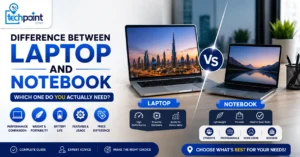
- A notebook is just another word for a laptop. They mean the same thing: a portable computer running Windows, macOS, or Linux.
- Chromebook is a specific type of laptop that runs Chrome OS instead of Windows.
- A laptop generally refers to any portable computer. Technically, a Chromebook is a laptop, but when people say “laptop,” they usually mean Windows or macOS machines.
So when comparing, think of it as Chrome OS devices versus Windows/macOS devices.
Still unsure about the terms? We explain the difference between a laptop and a notebook separately.
Which Brands Make the Best Chromebooks?
Several manufacturers produce quality Chromebooks available in the UAE:
- HP offers reliable Chromebooks with good build quality. Popular choices include the HP Chromebook 14 and the HP Chromebook x360 (2-in-1).
- Lenovo provides both affordable and premium options. The IdeaPad Duet and IdeaPad Flex work well for different budgets.
- ASUS makes durable Chromebooks popular in schools. The ASUS Chromebook Flip series offers solid value.
- Acer delivers budget-friendly Chromebooks. The Acer Chromebook 314 provides decent specs at a low price.
- Samsung creates premium Chromebooks with beautiful displays: a higher price but excellent quality.
At Tech Point Zone, we help you find the right Chromebook from trusted brands with local warranty support.
Are Chromebooks and Laptops the Same?
No, they are not the same. While Chromebooks look like laptops and function as portable computers, they run different operating systems and serve different purposes.
A laptop (Windows/macOS) stores everything locally and runs traditional desktop software. A Chromebook runs Chrome OS, relies heavily on cloud storage, and uses web-based applications.
Think of Chromebooks as laptops optimised for online work. They sacrifice offline capability and software compatibility for simplicity, security, and affordability.
Are Chromebooks as Good as Laptops?
It depends on what you need.
For browsing, email, Google Docs, YouTube, Netflix, and basic school work, Chromebooks perform excellently. They boot faster, last longer on a charge, and are more secure than budget Windows laptops.
For professional software, gaming, video editing, programming, or offline work. Laptops outperform Chromebooks significantly. The software support alone makes laptops essential for many users.
A Chromebook at AED 1,500 often beats a Windows laptop at the same price for basic tasks. But a Chromebook at any price cannot match what a Windows laptop offers for demanding work.
What Are the Disadvantages of a Chromebook?
Chromebooks come with notable limitations:
- Software restrictions. You cannot install Adobe Photoshop, Microsoft Office desktop version, AutoCAD, or most professional programmes. Only web apps and Android apps work.
- Internet dependency. While offline mode exists, Chromebooks work best with a constant internet connection. Slow or no WiFi significantly limits functionality.
- Limited storage. Most Chromebooks offer just 32-128GB. You must rely on Google Drive for additional space, which requires internet access.
- Gaming limitations. No dedicated graphics cards. Only browser games, Android games, and cloud gaming services work. Forget AAA titles.
- Update expiration. Chromebooks receive updates for a limited time. After the AUE date, security patches stop, making older devices risky to use.
- Printer compatibility issues. Some older printers do not work properly with Chromebooks. You may need specific cloud-compatible printers.
Why Are Chromebooks So Cheap?
Several factors keep Chromebook prices low:
- Minimal hardware requirements. Chrome OS runs smoothly on basic processors and 4GB RAM. Manufacturers do not need expensive components.
- Low storage needs. With cloud storage handling most files, 32GB or 64GB internal storage suffices. SSDs cost money, so less storage means lower prices.
- No Windows license. Microsoft charges manufacturers for Windows licenses. Chrome OS comes free from Google, reducing costs.
- Simplified design. Chromebooks skip DVD drives, high-end graphics cards, and other expensive components. This strips down production costs.
- Education market focus. Schools buy thousands of devices. Manufacturers design Chromebooks to hit low price points for bulk purchases.
The result: functional computers starting under AED 1,000. You trade power and versatility for affordability.
Can I Use a Chromebook as a Laptop?
Yes, you can use a Chromebook for many tasks you would do on a laptop. It has a keyboard, trackpad, screen, and runs applications. For everyday computing — email, browsing, documents, video calls, streaming — Chromebooks work perfectly.
However, if your “laptop” work includes installing Windows programmes, serious gaming, video editing, or professional software, then no. A Chromebook cannot replace that functionality.
Think of Chromebooks as laptops with boundaries. Within those boundaries, they perform excellently. Beyond them, they simply cannot help.
Chromebook vs Laptop: Which Should You Buy?
Buy a Chromebook if you:
- Need an affordable device for basic tasks
- Primarily work online with Google Workspace
- Want long battery life for all-day use
- Need a safe, simple device for children
- Do not require specialised software
- Have reliable WiFi at home, school, or office
- Prefer minimal maintenance and automatic updates
Buy a Laptop if you:
- Need specific Windows or macOS software
- Work with large files stored locally
- Play video games
- Edit photos, videos, or audio professionally
- Study engineering, architecture, or design
- Work offline frequently
- Need powerful hardware for demanding tasks
- Want a computer that lasts many years
Where to Buy Chromebooks and Laptops in the UAE
Tech Point Zone offers both Chromebooks and Windows laptops from top brands. We stock HP, Dell, ASUS, Lenovo, and Acer devices at competitive prices.
Our team understands the UAE market. We help students find affordable devices for school. We guide professionals toward laptops that meet their workload requirements. We advise parents on safe, durable computers for their children.
Every device comes with local warranty support. We deliver across Dubai, Abu Dhabi, Sharjah, Ajman, and all Emirates. Free delivery on qualifying orders.
Visit Tech Point Zone online or contact us to discuss your needs. We will recommend the right device without pushing unnecessary upgrades.
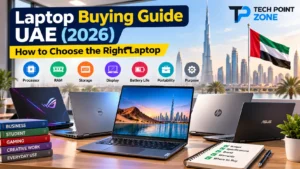
For the full picture on specs and budgets, see our laptop buying guide for the UAE. If your budget is tight, read laptops under 500 AED, or browse today’s laptop deals.
Frequently Asked Questions
Can I install Microsoft Office on a Chromebook?
You cannot install the full desktop version of Microsoft Office. However, you can use Office Online through your browser or download Office mobile apps from the Google Play Store. These versions handle basic document editing but lack some advanced features found in desktop versions.
Do Chromebooks work without internet?
Chromebooks work offline for limited tasks. Google Docs, Sheets, and Slides function offline if you enable this feature beforehand. Some Android apps also work without an internet connection. However, many features require connectivity, and the experience feels more restricted than on Windows laptops.
How long do Chromebooks last?
Chromebooks receive software updates for about 8 to 10 years from the original release date. After the Auto Update Expiration (AUE) date, Google stops providing security updates. The hardware can last longer, but running outdated software creates security risks.
Are Chromebooks good for working from home?
Chromebooks work well for jobs involving email, video conferencing, spreadsheets, and document creation through cloud-based tools. If your employer uses Google Workspace, Chromebooks are a perfect fit. However, if your job requires Windows-specific software, you need a traditional laptop.
Can I play games on a Chromebook?
You can play browser-based games, Android games from the Google Play Store, and stream games through services like NVIDIA GeForce NOW or Xbox Cloud Gaming. You cannot play traditional PC games that require a Windows installation. For serious gaming, buy a Windows laptop.
Is a Chromebook better than a tablet for students?
For students who type regularly, yes. Chromebooks have built-in keyboards, larger screens, and better file management than tablets. They handle schoolwork more efficiently. Tablets suit younger children who primarily watch videos and play educational apps.
Which is better for coding: Chromebook or laptop?
Laptops running Windows or macOS provide better coding environments. Most IDEs, compilers, and development tools work natively on these systems. Chromebooks now support Linux apps, enabling basic coding, but professionals prefer traditional laptops for software development.
Do Chromebooks get viruses?
Chromebooks rarely get viruses. Chrome OS uses sandboxing to isolate each app and tab, preventing malware from spreading. Automatic updates patch security vulnerabilities quickly. While not completely immune, Chromebooks face far fewer threats than Windows laptops.
Final Thoughts
The Chromebook vs laptop debate has no universal winner. Your decision depends entirely on how you use your computer.
Students handling basic coursework, families needing affordable devices, and users working primarily online should consider Chromebooks. They offer excellent value with minimal hassle.
Professionals, gamers, creative workers, and anyone who needs specialized software should invest in Windows laptops. The additional cost brings capabilities that Chromebooks cannot match.
At Tech Point Zone, we stock both options. Browse our collection of Chromebooks and laptops, or reach out to our team for personalised recommendations. We deliver across the UAE with full warranty support.