
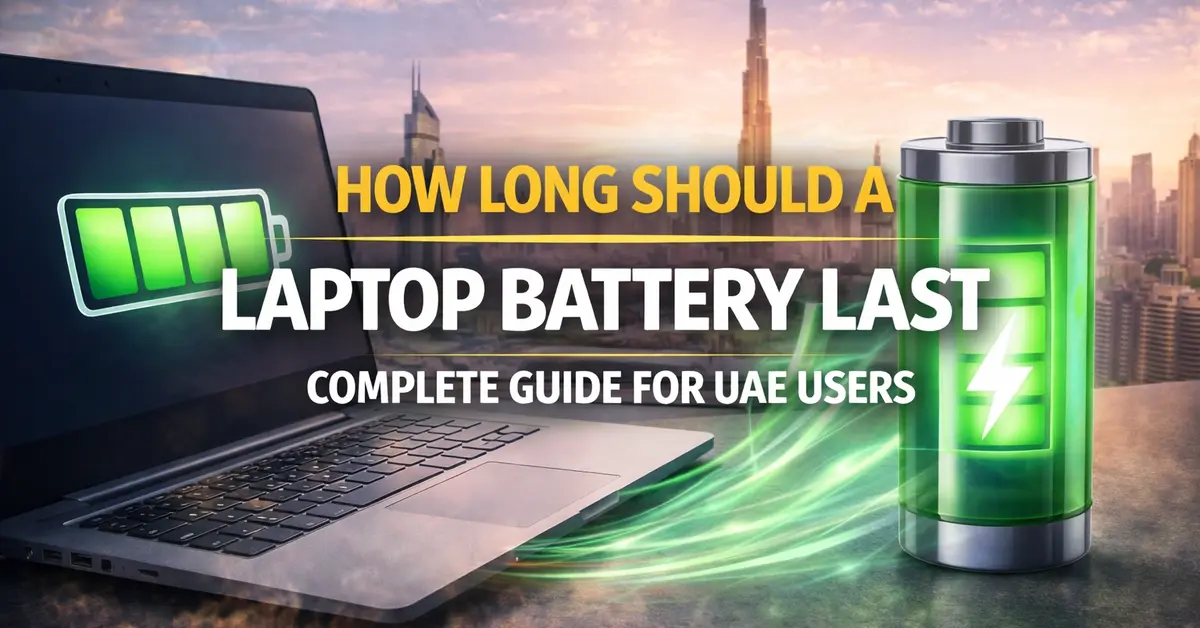
Laptop battery life matters more than ever. Whether you’re working from a café in Dubai Marina, attending online classes, or traveling across the Emirates, knowing what to expect from your battery helps you plan your day better.
This guide breaks down realistic battery expectations for different laptop types, explains factors that affect battery performance, and shares practical tips to extend your laptop’s runtime.
We’ll cover everything from budget laptops to gaming machines, so you know exactly what “good battery life” means for your specific needs.
How Long Should a Laptop Battery Last?
A good laptop battery should last 4-10 hours per charge for everyday tasks like web browsing, document editing, and video streaming. This range covers most modern laptops under normal usage conditions.
Here’s what to expect based on laptop type:
- Ultrabooks and premium thin laptops: 10 to 15 hours
- Standard productivity laptops: 6 to 10 hours
- Business laptops: 8 to 12 hours
- Budget laptops: 4 to 7 hours
- Gaming laptops: 2 to 5 hours for general tasks
These figures assume moderate screen brightness (around 50-70%), typical office applications, and no heavy processing tasks running. Demanding workloads, maximum brightness, or older batteries significantly reduce these numbers.
How Long Should a New Laptop Battery Last?
Laptop batteries typically last 2 to 5 years before needing replacement. During this period, they handle approximately 300 to 1,000 charge cycles. After about 500 cycles, most batteries retain about 80% of their original capacity, which explains why older laptops don’t last as long unplugged as they once did.
When brand new, expect these baseline runtimes:
- Light tasks (browsing, documents): Close to manufacturer’s rated hours
- Moderate tasks (video calls, streaming): 70-85% of rated hours
- Heavy tasks (video editing, gaming): 40-60% of rated hours
You can check your laptop specifications to verify your battery’s Wh (watt-hour) rating. Higher numbers generally mean longer runtime; a 70Wh battery typically outlasts a 45Wh battery in the same laptop design.
How Long Should a HP Laptop Battery Last?
HP laptop battery life varies significantly across its product range. Here’s what each series typically delivers:
- HP Specter x360: 12 to 15 hours. This premium 2-in-1 offers HP’s best battery performance, designed for professionals who need all-day power without charging.
- HP EliteBook series: 10 to 14 hours: Business-focused laptops optimized for extended mobile use with efficient components and large batteries.
- HP Envy series: 8 to 12 hours: Balanced performance and battery life for creators and general users who need solid runtime.
- HP Pavilion series: 6 to 9 hours: Mainstream laptops offering decent runtime for everyday tasks at accessible prices.
- HP Victus/Omen gaming: 3 to 6 hours general use, 1 to 2 hours gaming: Gaming hardware prioritizes performance over battery life by design.
The HP OmniBook 3 delivers excellent battery value thanks to its efficient AMD Ryzen AI processor. This makes it particularly suitable for students and professionals in the UAE who need reliable runtime throughout the day.
HP Command Center software lets you switch between performance modes. Choosing “Quiet” or “Cool” mode extends battery life noticeably compared to “Performance” mode.
How Long Should a Lenovo Laptop Battery Last?
Lenovo produces some of the longest-lasting business laptops available. Here’s the breakdown by series:
- Lenovo ThinkPad X1 Carbon: 12 to 15 hours: The legendary business laptop known for exceptional battery life and reliability across generations.
- Lenovo ThinkPad T-series: 10 to 14 hours: Workhorse business laptops built for professionals spending long days away from power outlets.
- Lenovo Yoga series: 8 to 14 hours: Versatile 2-in-1 convertibles offering good battery life with flexible form factors.
- Lenovo IdeaPad series: 6 to 10 hours: Consumer laptops providing reasonable runtime for everyday home and student use.
- Lenovo Legion gaming: 3 to 6 hours productivity, 1 to 2 hours gaming: Gaming performance comes at the cost of battery runtime.
Lenovo Vantage software includes a “Conservation Mode” that caps charging at 80% to extend overall battery lifespan. This proves useful if you primarily use your laptop plugged in at a desk.
When comparing the best laptop brands in the world, Lenovo’s ThinkPad line consistently ranks among the top for battery longevity and overall reliability.
Dell Laptop Battery Life Hours
Dell laptop battery life hours depend heavily on the product line and specific configuration:
- Dell XPS series: 10-15 hours. Premium ultrabooks with excellent efficiency. Recent XPS models with LCD screens achieved impressive results in testing, with some reaching nearly 27 hours under light conditions.
- Dell Latitude series: 8 to 14 hours: Business laptops designed for mobile professionals who spend extended periods away from outlets.
- Dell Inspiron series: 6-10 hours. Mainstream laptops offer solid battery life for home users and students.
- Dell Vostro series: 7 to 10 hours: Small business laptops balancing everyday performance with reasonable runtime.
- Dell G-series/Alienware: 3 to 7 hours general tasks, less while gaming: Gaming-focused hardware draws significant power even during light use.
How Long Should a Gaming Laptop Battery Last?
The overall battery lifespan in gaming laptops tends toward the shorter end, typically 1.5 to 3 years, due to higher heat generation and more aggressive charge cycles during gaming sessions.
Realistic expectations for gaming laptop batteries:
- Web browsing and documents: 3 to 6 hours
- Video streaming: 4 to 8 hours
- Light gaming (older or simple games): 1 to 3 hours
- Demanding AAA games at high settings: 45 minutes to 1.5 hours
These shorter runtimes reflect hardware reality. A discrete GPU alone can draw 80 to 150 watts under full load, more power than an entire ultrabook consumes during normal use. Gaming laptops prioritize performance over efficiency by design.
Modern gaming laptops include “hybrid mode” or “Optimus” technology that switches to integrated graphics for light tasks. This dramatically improves battery life when you’re not gaming. NVIDIA’s Advanced Optimus handles switching automatically without requiring restarts.
How Long Should a Laptop Battery Last Per Charge?
Runtime per charge varies dramatically based on what you’re doing. Here’s a realistic breakdown:
Light Use (Web Browsing, Documents, Email)
- Ultrabooks: 10 to 15 hours
- Standard laptops: 6 to 10 hours
- Gaming laptops: 4 to 6 hours
- Budget laptops: 5 to 8 hours
Moderate Use (Multiple Apps, Video Calls, Streaming)
- Ultrabooks: 6 to 10 hours
- Standard laptops: 4 to 7 hours
- Gaming laptops: 2 to 4 hours
- Budget laptops: 3 to 5 hours
Heavy Use (Video Editing, Development, Gaming)
- Ultrabooks: 3 to 5 hours
- Standard laptops: 2 to 4 hours
- Gaming laptops: 1 to 2 hours
- Budget laptops: 1 to 3 hours
Screen brightness affects these numbers significantly. Running at 100% brightness versus 50% can reduce runtime by 30% or more. Dimming your screen while working indoors is the easiest way to extend battery life instantly.
Understanding 60Wh Battery Life Laptop Performance
Battery capacity measured in watt-hours (Wh) indicates how much energy your battery stores. Understanding this helps compare laptops accurately.
With a 60Wh battery, expect approximately:
- 6 to 8 hours at low power draw (basic tasks, efficient processor)
- 4 to 5 hours at moderate power draw (productivity work)
- 2 to 3 hours at higher power draw (demanding applications)
- 1 to 1.5 hours at maximum power draw (gaming or rendering)
Common Battery Capacities and Typical Runtimes
| Battery Size | Light Use | Moderate Use | Heavy Use |
| 40-50Wh | 5-7 hours | 3-5 hours | 1.5-3 hours |
| 55-65Wh | 6-9 hours | 4-6 hours | 2-4 hours |
| 70-80Wh | 8-12 hours | 5-8 hours | 3-5 hours |
| 90-100Wh | 10-15 hours | 7-10 hours | 4-6 hours |
However, battery capacity alone doesn’t determine runtime. A highly efficient laptop with a 50Wh battery might outlast a power-hungry machine with a 70Wh battery. Processor efficiency, screen technology, and software optimization all play crucial roles.
Why Your Laptop Battery Doesn’t Last as Long as Expected
Several factors cause batteries to underperform their rated specifications:
1. Screen Brightness and Display Settings
Your display consumes the most power of any single component. Running at maximum brightness reduces battery life by 25-40% compared to moderate levels. OLED screens, while beautiful, often consume more power than LCD panels when displaying light-coloured content.
2. Background Applications
Apps running invisibly drain battery continuously. Web browsers with dozens of tabs, cloud sync services, and automatic updates consume power even when you’re not actively using them. Check Task Manager (Windows) or Activity Monitor (Mac) to identify resource-hungry programs.
Wireless Connections
3. WiFi, Bluetooth, and cellular connections draw power constantly while active. After changing your Etisalat WiFi password or updating network settings, your connection runs efficiently. But if you’re working completely offline, turning off wireless radios can noticeably extend battery life.
4. Battery Age and Degradation
Batteries lose capacity naturally over time. After 300 to 500 charge cycles, expect roughly 80% of the original capacity remaining. A three-year-old battery that once delivered 8 hours might now manage only 5 to 6 hours. This decline accelerates as the battery ages further.
5. Heat Exposure
Heat damages batteries faster than almost anything else. Using your laptop in the UAE’s summer heat without air conditioning significantly accelerates degradation. Keeping your laptop cool extends both daily runtime and the overall lifespan of its battery.
6. Power-Hungry Hardware
Dedicated graphics cards, high-performance processors, and fast NVMe storage consume more power than their efficient counterparts. A laptop with RTX graphics and an Intel H-series processor will always drain faster than one with integrated graphics and a U-series chip.
Tips to Extend Your Laptop Battery Life
Maximize your battery runtime with these practical adjustments:
Adjust Power Settings
- Switch to “Balanced” or “Power Saver” mode
- Set the screen to dim after 2 to 3 minutes of inactivity
- Enable sleep mode after 5 to 10 minutes
- Reduce maximum processor state to 80% in advanced power options
Manage Display Brightness
- Lower screen brightness to 50-70% indoors
- Enable auto-brightness if available
- Use dark mode in applications and the operating system
- Turn off keyboard backlighting when not needed
Control Background Activity
- Close unused browser tabs
- Disable automatic email sync for non-essential accounts
- Turn off cloud storage auto-sync on battery
- Review and limit startup programs
Optimize Hardware Usage
- Disconnect USB devices when not in use
- Disable Bluetooth when not connecting devices
- Use integrated graphics for light tasks when possible
- Eject external drives and optical discs
Maintain Long-Term Battery Health
- Avoid regularly draining below 20%
- Don’t keep the laptop constantly plugged at 100%
- Store at 40-60% charge if unused for weeks
- Keep the laptop cool and ensure proper ventilation
When to Replace Your Laptop Battery
Consider battery replacement when you notice:
- Runtime drops below 50% of the original capacity
- The battery shows physical swelling or damage
- Laptop shuts down unexpectedly despite showing charge remaining
- Battery health reports display “Replace Soon” warnings
- Charging takes significantly longer than before
Most laptop batteries last 2 to 4 years before replacement becomes necessary. Heavy users might see noticeable degradation within 18 months, while light users can sometimes stretch battery life to 5 years with proper care.
Choosing a Laptop with Good Battery Life
When shopping for a new laptop, prioritize these factors for maximum battery performance:
- Battery capacity (Wh): Look for 60Wh or higher for all-day use. Budget options with 40-50Wh work for shorter sessions.
- Processor efficiency: Intel U-series, AMD Ryzen (non-H) processors, and Apple M-series chips offer the best battery efficiency.
- Display resolution: 1080p screens consume less power than 4K panels while still looking sharp on 13-15-inch laptops.
- Integrated vs dedicated graphics: Skip the dedicated GPU unless you genuinely need it for gaming or creative work.
Tech Point Zone stocks laptops with excellent battery performance across all categories. Our team tests real-world runtime and recommends based on actual usage patterns, not inflated manufacturer claims.
Visit our showroom in Bur Dubai or browse online at techpointzone.com. We offer free delivery across the UAE on orders above AED 1,000, an official manufacturer warranty, and expert advice on finding the right laptop for your battery requirements.
Frequently Asked Questions
How many hours should a laptop battery last in a day?
A laptop battery should last 6 to 10 hours per day for typical use including web browsing, documents, email, and video streaming. Ultrabooks and business laptops often achieve 8 to 15 hours, making them suitable for full workdays without charging.
Why is my laptop battery only lasting 2 hours?
A battery lasting only 2 hours suggests either very heavy usage, degraded battery health, or inefficient settings.
Why is my laptop running out of battery so fast?
Fast battery drain typically results from multiple factors working together. Common causes include too many background applications consuming resources, maximum screen brightness, outdated drivers causing inefficiency, malware or problematic software, unnecessary wireless connections staying active, or an aging battery with reduced capacity.
Is 4 hours of battery life good for a laptop?
Four hours of battery life is acceptable for gaming laptops and budget machines, but falls short of average for modern productivity laptops. Current mainstream laptops typically deliver 6 to 10 hours, while ultrabooks achieve 10 to 15 hours under normal conditions.
Find Laptops with Excellent Battery Life
Need a laptop that lasts all day? Tech Point Zone stocks models from HP, Dell, Lenovo, ASUS, and Acer with proven battery performance. Our team helps customers choose based on real-world runtime needs, not just manufacturer claims.
Visit our showroom in Bur Dubai or browse online. We offer free delivery across the UAE on orders above AED 1,000 and an official manufacturer’s warranty on all products.
WhatsApp us at +971 525696022 for personalized recommendations.