
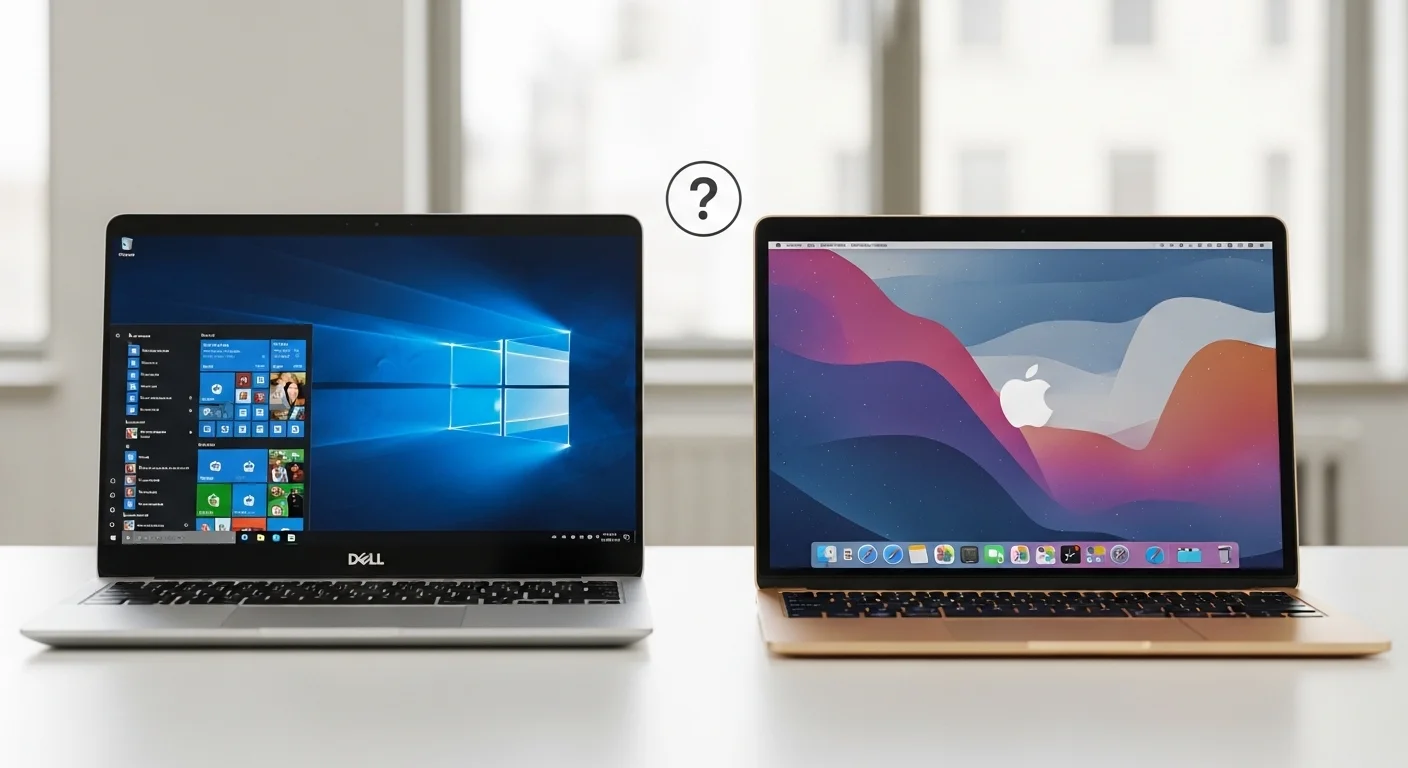
Choosing between the Dell XPS 13 and MacBook Air ranks among the toughest laptop decisions you can make. Both machines deliver premium-quality, stunning designs and excellent performance in compact packages.
This comparison breaks down all the key differences between these ultrabooks. We cover specifications, battery life, display quality, software compatibility, and value for money. By the end, you will know exactly which laptop fits your needs.
Quick Comparison: Dell XPS 13 vs MacBook Air
| Feature | MacBook Air M4 |
|---|---|
| Processor | Apple M4 (10-core) |
| RAM | Up to 32GB unified |
| Storage | Up to 2TB SSD |
| Display | 13.6-inch Liquid Retina |
| Battery Life | Up to 18 hours |
| Weight | 1.24kg (2.7 lbs) |
| Ports | 2x Thunderbolt 4, MagSafe, 3.5mm jack |
| OS | macOS |
See all Dell laptops we currently stock.
Design and Build Quality
Dell XPS 13 Design
The Dell XPS 13 features a stunning aluminium chassis that looks and feels premium. The InfinityEdge display creates an almost borderless screen with incredibly thin bezels. This design makes the 13.4-inch display fit into a remarkably compact body.
Dell offers the XPS 13 in multiple colours, including Platinum Silver and Graphite. The laptop measures just 14.8mm thick and weighs approximately 1.21kg, making it extremely portable for daily commuting across Dubai, Abu Dhabi, or anywhere in the UAE.
The keyboard uses a zero-lattice design with tightly packed keys. Some users love this modern aesthetic, while others prefer traditional key spacing. The haptic touchpad blends seamlessly into the palm rest, creating a unified glass surface.
MacBook Air Design
Apple’s MacBook Air maintains its iconic aluminium unibody construction. The M4 version continues the flat, slab-like design introduced with the M2 model. Build quality remains exceptional, as expected from Apple products.
The MacBook Air is slightly thinner at 11.3mm, compared to the XPS 13’s 14.8mm. Both laptops weigh nearly identical amounts, so portability comes down to personal preference rather than significant weight differences.
Apple offers four colour options: Midnight, Starlight, Space Grey, and Silver. The traditional keyboard layout with physical function keys appeals to users who prefer conventional designs.
Dell XPS 13 Weight vs MacBook Air
Both laptops weigh approximately the same at around 1.21-1.24kg. The Dell XPS 13 actually edges out slightly lighter in most configurations. Either machine slips easily into a backpack without adding noticeable weight.
Display Comparison
Dell XPS 13 Display Options
Dell provides multiple display configurations for the XPS 13. The base model features a 13.4-inch FHD+ (1920×1200) IPS panel. Mid-range options include a higher resolution display with improved brightness.
The flagship configuration offers a stunning 3K (2880×1800) OLED touchscreen. This panel delivers perfect blacks, vibrant colours, and excellent HDR performance. Content creators and media enthusiasts appreciate the superior contrast ratios OLED technology provides.
The 16:10 aspect ratio provides more vertical screen space than traditional 16:9 displays. This ratio benefits productivity tasks, document editing, and web browsing.
MacBook Air Display
The MacBook Air uses Apple’s Liquid Retina display technology. The 13.6-inch panel runs at 2560×1664 resolution with 500 nits of brightness. Colours appear accurate and vibrant, though the panel uses IPS rather than OLED technology.
Apple’s display looks excellent for everyday use. However, it lacks the deep blacks and infinite contrast that OLED screens provide. The MacBook Air also misses touchscreen functionality entirely.
Display Winner
The Dell XPS 13 wins the display comparison when configured with the OLED panel. The touchscreen capability adds versatility for note-taking and creative work. Budget-conscious buyers should note that OLED configurations cost significantly more than the base model.
Performance: Intel/Snapdragon vs Apple Silicon
Dell XPS 13 Performance
The latest Dell XPS 13 offers two processor options: Intel Core Ultra (Lunar Lake) and Qualcomm Snapdragon X Elite. Both deliver impressive performance for everyday tasks.
The Intel Core Ultra 7 256V version provides excellent multi-core performance and complete compatibility with all Windows applications. The Snapdragon X Elite variant offers exceptional battery efficiency and strong performance, though some Windows applications require emulation.
In benchmark tests, the Dell XPS 13 with Snapdragon X Elite achieves impressive scores. Cinebench R23 multi-core results show competitive performance against Apple’s M-series chips. Real-world tasks like document editing, web browsing, and video streaming run smoothly on either processor option.
MacBook Air M4 Performance
Apple’s M4 chip delivers outstanding performance per watt. The 10-core CPU handles demanding tasks efficiently while maintaining excellent battery life. The integrated GPU performs well for light creative work and casual gaming.
The MacBook Air runs silently because it uses passive cooling without fans. Under sustained heavy loads, the processor may throttle slightly to manage heat. For typical productivity tasks, users rarely notice any performance limitations.
M2 MacBook Air vs Dell XPS 13
The Dell XPS 13 vs MacBook Air M2 comparison shows Apple’s chip excelling in single-core tasks and power efficiency. The M2 MacBook Air delivers snappy performance for everyday computing. However, the latest XPS 13 with Lunar Lake or Snapdragon processors now matches or exceeds the M2 in many benchmarks.
Mac M1 vs Dell XPS
Comparing the Mac M1 vs Dell XPS reveals that older Intel-based XPS models struggled against Apple Silicon efficiency. However, current XPS 13 versions with Snapdragon X Elite now compete directly with Apple’s chips in both performance and battery life.
Battery Life
Dell XPS 13 Battery Performance
The Dell XPS 13 delivers remarkable battery life with its latest processors. The Snapdragon X Elite version lasted over 20 hours in Tom’s Guide testing, making it one of the longest-lasting consumer laptops ever tested.
The Intel Lunar Lake model achieves approximately 17-18 hours of real-world use. Even the OLED display version, which consumes more power, manages around 8-9 hours of continuous use.
Dell’s battery performance represents a significant improvement over previous generations. Users can confidently leave their chargers at home for full workdays.
MacBook Air Battery Performance
Apple advertises up to 18 hours of battery life for the M4 MacBook Air. Real-world testing confirms approximately 14-15 hours of mixed use, which remains impressive for an ultrabook.
The MacBook Air’s ARM-based processor excels at power efficiency. Users consistently achieve all-day battery life without concerns about finding power outlets.
Battery Life Winner
The Dell XPS 13 with Snapdragon X Elite wins the battery comparison with its class-leading 20+ hour endurance. The Intel version and MacBook Air deliver similar performance, both providing excellent all-day battery life.
Software Compatibility and Operating System
Windows 11 Advantages
The Dell XPS 13 runs Windows 11, offering complete compatibility with enterprise software, business applications, and professional tools. Engineering software, accounting packages, and industry-specific applications typically run natively on Windows.
Windows provides superior flexibility for gaming. Access to Steam, Epic Games Store, and other platforms opens a vast library of titles. While the XPS 13 lacks a dedicated graphics processor, it handles casual gaming and older titles adequately.
For UAE businesses using Microsoft 365, SharePoint, or other Microsoft services, Windows integration remains seamless. IT departments often prefer Windows devices for easier management and policy enforcement.
macOS Considerations
The MacBook Air runs macOS, which offers a clean, intuitive interface. Apple’s ecosystem integration appeals to users with iPhones, iPads, and other Apple devices. Features like AirDrop, Handoff, and Universal Control work flawlessly.
However, macOS presents limitations for certain professional software. AutoCAD works on Mac, but many engineering applications require Windows. Revit, the industry-standard BIM software, runs exclusively on Windows.
Some Windows applications run on Mac through emulation or virtualisation software like Parallels. This adds cost and complexity while potentially reducing performance.
Software Compatibility Winner
Windows wins for software compatibility. The Dell XPS 13 runs virtually any Windows application natively. Users needing specific professional software should verify Mac compatibility before purchasing a MacBook Air.
Price Comparison in the UAE
Dell XPS 13 Pricing
The Dell XPS 13 starts at approximately AED 4,400 for base configurations in the UAE. Mid-range models with better processors and displays typically cost AED 5,500-7,000. The top-spec OLED versions reach AED 8,500 or higher.
Dell frequently offers promotions and discounts through authorised retailers. Tech Point Zone stocks Dell XPS 13 models at competitive prices with local warranty support.
MacBook Air Pricing
The MacBook Air M4 starts at approximately AED 4,600 in the UAE. Upgraded configurations with more storage and RAM push prices toward AED 6,000-8,000.
Apple products rarely receive significant discounts. The starting price remains relatively fixed across authorised retailers.
Value Analysis
The Dell XPS 13 offers better value at most price points. The base configuration includes comparable specifications to the MacBook Air at a lower starting price. The OLED display option provides capabilities no MacBook Air can match.
Ports and Connectivity
Dell XPS 13 Ports
The Dell XPS 13 includes only two Thunderbolt 4 USB-C ports. This minimalist approach requires adapters or docking stations for connecting external peripherals. Dell includes a USB-C-to-USB-A adapter in the box.
Wi-Fi 7 and Bluetooth 5.4 provide cutting-edge wireless connectivity. The laptop supports fast charging, reaching 80% battery in approximately one hour.
MacBook Air Ports
The MacBook Air features two Thunderbolt 4 USB-C ports, a MagSafe charging port, and a 3.5mm headphone jack. The MagSafe connector leaves both USB-C ports free for accessories, providing a practical advantage.
Wi-Fi 6E and Bluetooth 5.3 handle wireless connections reliably. MagSafe’s magnetic attachment also protects the laptop if someone trips over the charging cable.
Ports Winner
The MacBook Air wins the port comparison thanks to MagSafe charging and the headphone jack. The Dell XPS 13 sacrifices one USB-C port for charging, limiting connectivity options.
Why Choose Dell XPS 13
The Dell XPS 13 makes sense for buyers who need Windows compatibility. Professional software, gaming access, and enterprise integration all favour Windows.
The OLED display option delivers superior visual quality for content consumption and creative work. Battery life now matches or exceeds MacBook Air performance with the latest processor options.
UAE buyers benefit from local Dell service centres and warranty support across the Emirates. Tech Point Zone offers competitive pricing on Dell XPS 13 models with a full manufacturer’s warranty.
Students pursuing engineering degrees should consider the Dell XPS 13 for software compatibility. Check out our guide to the best laptops for engineering students for detailed recommendations.
Why Choose MacBook Air
The MacBook Air appeals to users already invested in Apple’s ecosystem. Seamless integration with iPhones, iPads, and other Apple devices creates a unified experience.
Creative professionals using Final Cut Pro, Logic Pro, or other Apple-exclusive software benefit from native macOS support. The fanless design ensures completely silent operation.
However, Tech Point Zone currently focuses on Windows laptops and does not stock MacBook models. UAE customers seeking MacBooks should visit the Apple Store or authorised Apple resellers.
Which Should You Buy?
Choose Dell XPS 13 If:
You need Windows software compatibility for work or study. Professional applications, accounting software, and engineering tools typically require Windows.
You want the best battery life available. The Snapdragon X Elite version delivers class-leading endurance of 20+ hours.
You prefer OLED display technology. The stunning 3K touchscreen offers visuals no MacBook Air can match.
You value flexibility and customisation. Windows provides more control over system settings and software choices.
Choose MacBook Air If:
You already own multiple Apple devices and want seamless ecosystem integration.
You use Apple-exclusive software, such as Final Cut Pro or Logic Pro, professionally.
You prioritise silent operation with the fanless cooling design.
You prefer the traditional keyboard layout over Dell’s zero-lattice design.
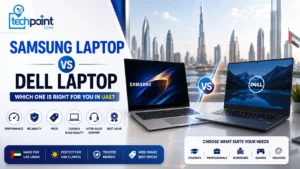
Comparing Dell with other Windows brands? Read Dell vs HP laptops and Samsung vs Dell laptops, or our ranking of the best laptop brands.
Budget Alternatives
Not everyone needs a premium ultrabook. Budget-conscious buyers can find excellent laptops at lower price points.
Check out our budget laptop guide under 500 AED for affordable options that handle basic computing tasks effectively.
Consider refurbished laptops for premium specifications at reduced prices. Learn the difference between used and refurbished laptops before making purchasing decisions.
Buy Dell XPS 13 at Tech Point Zone
Tech Point Zone stocks Dell XPS 13 models at competitive prices in the UAE. Every laptop includes a full manufacturer’s warranty valid in the UAE. Free delivery is available to Dubai, Abu Dhabi, Sharjah, and all emirates for qualifying orders.
Our team helps customers choose the right configuration for their needs. Contact us for current stock availability and pricing on Dell XPS 13 models.
Frequently Asked Questions
Is the Dell XPS 13 better than the MacBook Air?
Both excel in different areas. The Dell XPS 13 offers better Windows compatibility, superior OLED display options, and longer battery life with Snapdragon processors. The MacBook Air provides better Apple ecosystem integration and completely silent operation.
Which lasts longer: the Dell XPS 13 or the MacBook Air?
The Dell XPS 13 with Snapdragon X Elite processor lasts over 20 hours, exceeding MacBook Air’s approximately 15-18 hours. The Intel Lunar Lake version matches MacBook Air’s battery performance.
Can I run Windows software on a MacBook Air?
Some Windows software runs through emulation or virtualisation software like Parallels. However, this adds cost and complexity. Many professional applications work better on native Windows.
Is the Dell XPS 13 good for students?
Yes. The lightweight design, excellent battery life, and Windows compatibility make it ideal for students. Engineering and architecture students particularly benefit from access to Windows software.
Does the Dell XPS 13 have a touchscreen?
Yes. The OLED display configurations include touchscreen functionality. Base IPS models may not include touch capability depending on configuration.
Which is lighter, the Dell XPS 13 or the MacBook Air?
Both weigh approximately the same at around 1.21-1.24kg. The Dell XPS 13 is marginally lighter in most configurations.
Can I game on a Dell XPS 13?
The Dell XPS 13 handles casual gaming and older titles adequately. It lacks dedicated graphics, so demanding modern games won’t run well. For serious gaming, consider laptops with discrete GPUs.
Where can I buy a Dell XPS 13 in the UAE?
Tech Point Zone stocks Dell XPS 13 models with local warranty and free delivery across the UAE. Contact our team for current availability and pricing.
Conclusion
The Dell XPS 13 vs MacBook Air comparison comes down to your specific needs and software requirements. Both laptops deliver premium build quality, excellent performance, and all-day battery life in ultraportable packages.
The Dell XPS 13 stands out as the better choice for most UAE buyers. Its Windows compatibility opens doors to professional software, engineering applications, and gaming options that macOS cannot match. The stunning OLED display option surpasses anything Apple offers in the MacBook Air lineup. And with the Snapdragon X Elite processor, battery life now exceeds even Apple’s legendary efficiency.
For students, professionals, and everyday users who need reliable Windows performance, the Dell XPS 13 delivers exceptional value. The compact design makes it easy to travel across Dubai, Abu Dhabi, or anywhere your work takes you.
Tech Point Zone stocks Dell XPS 13 models at competitive prices with full UAE warranty coverage. Free delivery is available to all emirates on qualifying orders. Browse our collection online or contact our team for personalised recommendations based on your needs and budget.
Ready to upgrade your laptop? Visit Tech Point Zone today and experience the Dell XPS 13 difference.