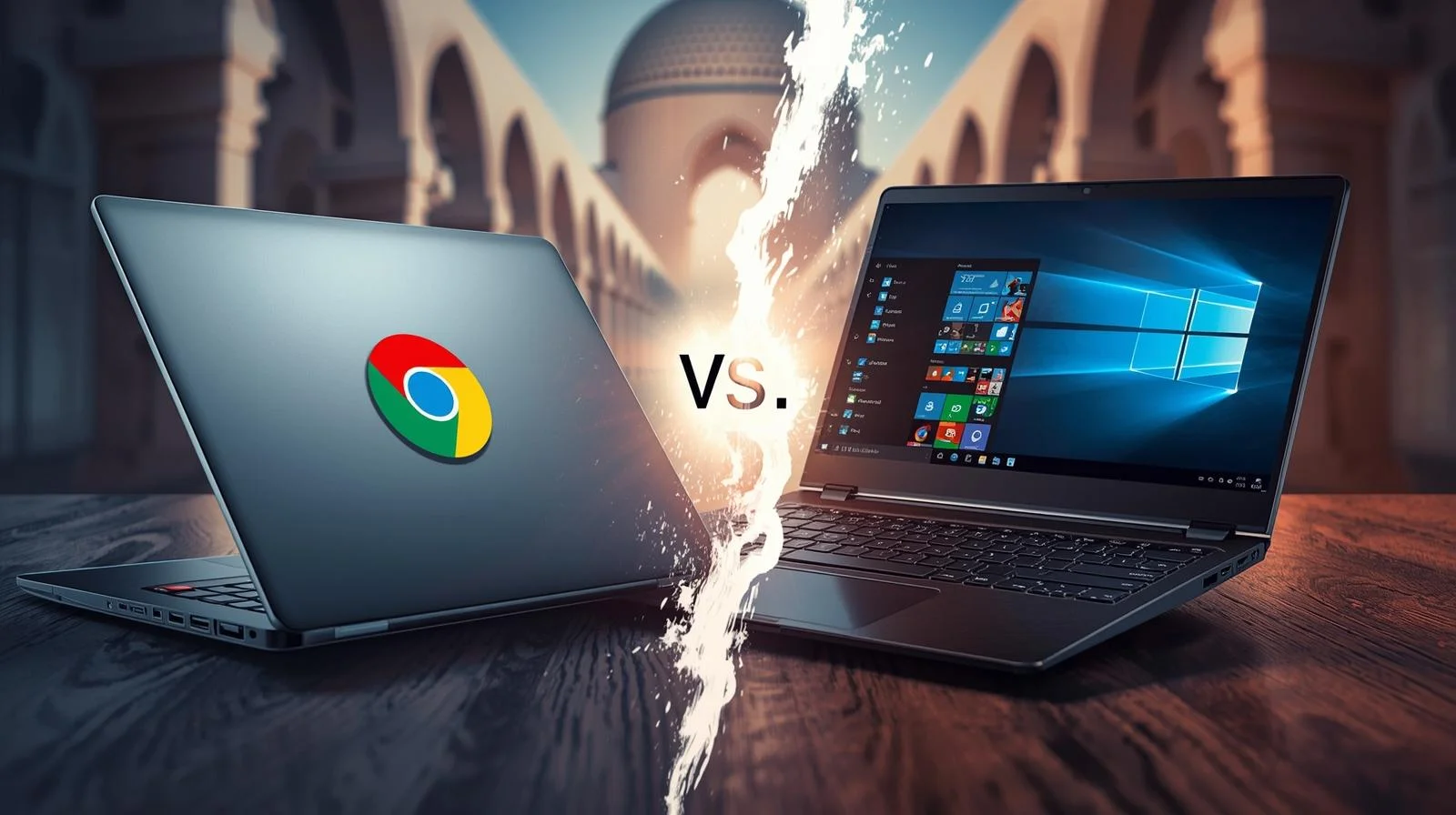

Chromebook vs Laptop

Chromebook vs Laptop: Which One Should You Buy in UAE?

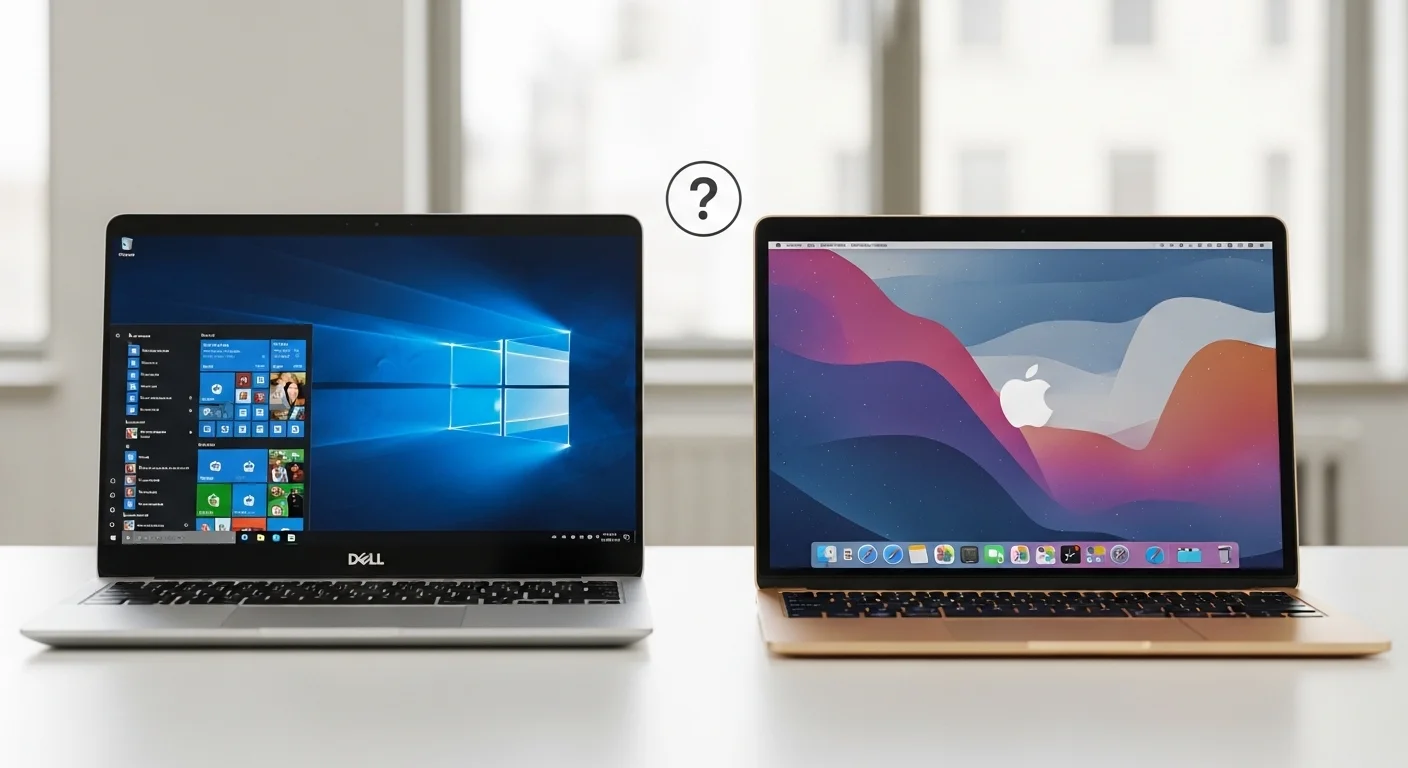
Buying a new computer feels confusing when you see Chromebooks sitting next to regular laptops. Both look similar. Both have keyboards and screens. But they work very differently.

This guide breaks down the real differences between Chromebooks and laptops. Whether you need a device for your child’s school, office work, or personal use in Dubai, Abu Dhabi, or anywhere in the UAE, you will find your answer here.

What is a Chromebook?

A Chromebook runs on Chrome OS, an operating system built by Google. Think of it as a laptop designed around the Chrome browser. Everything happens online, your files are saved to Google Drive, apps run through the browser, and updates happen automatically.

Google launched Chromebooks in 2011. Since then, they have become popular in schools worldwide. The UAE education sector now uses them in many institutions for classroom learning.

Chromebooks boot up in seconds, rarely get viruses, and cost less than traditional laptops. But they come with trade-offs that matter depending on your needs.

What is a Traditional Laptop?

A traditional laptop runs Windows (from Microsoft) or macOS (from Apple). These operating systems support thousands of desktop applications, including Microsoft Office, Adobe Photoshop, and professional video editing software.

Laptops store files locally on built-in hard drives or SSDs. They work perfectly without the internet. You can install any programme you need, play demanding games, and handle heavy tasks like 3D rendering or software development.

At Tech Point Zone, we stock laptops from HP, Dell, ASUS, Lenovo, and Acer. Each brand offers different strengths depending on your requirements.

Chromebook vs Laptop: Pros and Cons

Benefits of Chromebook

Lower Price Point

Most Chromebooks cost between AED 800 and AED 2,500. You get a functional computer without spending much. This makes them attractive for families buying devices for multiple children.

Excellent Battery Life

Chromebooks typically last 10 to 14 hours on a single charge. Chrome OS uses fewer resources than Windows, so the battery drains more slowly. Students can use them throughout the school day without having to carry chargers.

Fast Startup

Press the power button, and your Chromebook opens in under 10 seconds. No waiting for updates. No loading screens. Just open and start working.

Built-in security

Chrome OS updates automatically in the background. Each tab and app runs in a separate “sandbox,” which prevents viruses from spreading. You do not need antivirus software.

Simple to Use

If you know how to use the Chrome browser, you know how to use a Chromebook. The interface stays clean and straightforward. Children and older adults find it easy to navigate.

Lightweight Design

Most Chromebooks weigh under 1.5kg. They slip into backpacks easily and do not strain shoulders during daily commutes across Dubai or Sharjah.

Limitations of Chromebook

Limited Software Compatibility

You cannot install traditional Windows programmes. No desktop Microsoft Office (only web version), no Adobe Premiere Pro, no AutoCAD. If your work requires specific software, a Chromebook will not work.

Internet Dependency

Chromebooks perform best when connected to WiFi. Yes, Google Docs works offline now, but many features still require an internet connection. In areas with unreliable connections, this becomes frustrating.

Low Storage Capacity

Most Chromebooks offer only 32-64GB of internal storage. Google expects you to save everything to Google Drive. If you prefer keeping files locally, you will run out of space quickly.

Basic Hardware

To keep costs down, manufacturers use entry-level processors and minimal RAM. Heavy multitasking with many browser tabs can slow things down.

No Serious Gaming

Forget playing AAA titles. Chromebooks lack dedicated graphics cards and the processing power needed for modern games. Cloud gaming services like GeForce Now work, but you need a fast internet connection.

Expiration Date

Every Chromebook has an Auto Update Expiration (AUE) date. After this date (typically 8-10 years from release), Google stops providing security updates. Check this before buying.

Benefits of a Laptop (Windows)

Full Software Support

Install any programme designed for Windows. Microsoft Office desktop version, Adobe Creative Suite, professional engineering software, accounting programmes, everything works.

Powerful Hardware Options

Laptops come with Intel Core i5, i7, or i9 processors or AMD Ryzen chips. You can get 16GB, 32GB, or even 64GB of RAM. Dedicated graphics cards handle video editing and gaming.

Large Local Storage

Most laptops include SSDs ranging from 512GB to 1 TB. Some models offer 2TB. Your files stay on your device and are accessible anytime, even without an internet connection.

Works Offline Completely

Download your files, install your programmes, and work anywhere. No WiFi needed. This matters when travelling or working in locations with poor connectivity.

Gaming Capability

Gaming laptops from ASUS, Acer, and HP run the latest titles at high settings. Dedicated NVIDIA or AMD graphics cards make this possible.

Professional Use

Engineers, architects, video editors, software developers, and graphic designers need Windows or macOS laptops. Their tools do not exist on Chrome OS.

Limitations of a Laptop

Higher Cost

A decent Windows laptop starts around AED 2,000 in the UAE. High-performance models cost AED 5,000 to AED 15,000 or more.

Heavier Weight

Powerful components mean more weight. Gaming laptops often weigh 2.5kg or more. Even ultrabooks weigh around 1.3-1.5kg.

Shorter Battery Life

Windows demands more power. Expect 5 to 8 hours from most laptops. Gaming under load drains batteries in 1 to 2 hours.

Virus Vulnerability

Windows remains the most targeted operating system. You need antivirus software and must stay careful about downloads and email attachments.

Slower Boot Times

Windows laptops take 15 to 60 seconds to start, depending on hardware and installed programmes.

More Maintenance

You manage updates, run antivirus scans, clear temporary files, and troubleshoot issues yourself. Chrome OS handles most of this automatically.

Chromebook vs Laptop for Students

The right choice depends on the student’s age and academic level.

For Primary and Middle School Students

Chromebooks win here. Young students primarily need devices for Google Classroom, research, writing assignments, and educational apps. Chromebooks handle all of this perfectly.

Schools across the UAE prefer Chromebooks because they are affordable, secure, and easy for IT departments to manage. Teachers can monitor student activity through Google Admin Console. Parents can set up parental controls.

The durability matters too. Kids drop things. A damaged AED 1,200 Chromebook hurts less than a broken AED 4,000 laptop.

For High School Students

High schoolers face tougher coursework. Many still manage fine with Chromebooks for essays, presentations, and online research. Google Docs, Sheets, and Slides cover most needs.

However, students taking computer science, graphic design, or media courses may need Windows laptops. Software such as Visual Studio Code, Adobe Illustrator, or video editing tools requires sufficient computing power.

Check your child’s school requirements before buying. Some courses specify specific software that runs only on Windows or macOS.

For University and College Students

University demands more from your device. Engineering students need MATLAB and SolidWorks. Architecture students use AutoCAD and Revit. Business students want full Excel functionality. Media students edit video in Premiere Pro.

None of these programmes runs natively on Chromebooks. University students should invest in a Windows laptop (or MacBook for creative fields).

At Tech Point Zone, we recommend the HP 15 series or the Dell Inspiron range for university students. They offer balanced performance at reasonable prices.

Chromebook vs Laptop for Kids

Parents buying a first computer for children should consider several factors.

  • Age matters. Children under 12 rarely need powerful laptops. They browse educational websites, watch videos, play simple games, and complete homework. A Chromebook handles everything they do.
  • Safety first. Chromebooks offer excellent parental controls through Family Link. You set screen time limits, approve apps, and see activity reports. The closed ecosystem prevents children from accidentally installing malware.
  • Durability counts. Kids are not gentle with electronics. Many Chromebooks built for education undergo military-grade durability testing (MIL-STD-810H). They survive drops, spills, and rough handling better than budget laptops.
  • Cost-effectiveness. If your child loses or damages a Chromebook, replacement costs less than replacing a laptop. This peace of mind matters when handing expensive technology to young children.

For teenagers who game or need specific software, a Windows laptop makes more sense. But for younger children, a Chromebook provides everything they need without the risks.

HP Chromebook vs HP Laptop

HP makes both Chromebooks and Windows laptops. Here is how they compare:

  • The HP Chromebook 14 runs Chrome OS, offers 10+ hours of battery, and costs around AED 1,500 to AED 2,000. Great for students and casual users who work mainly online.
  • The HP 15 Laptop runs Windows 11, provides full software support, and costs AED 1,800 to AED 3,500 depending on configuration. Better for professionals and users needing desktop applications.

Both come with HP’s build quality and warranty support. The choice depends on what you need the computer to do.

Tech Point Zone stocks both options. Our team helps you choose based on your actual requirements.

Lenovo Chromebook vs Lenovo Laptop

Lenovo offers excellent options in both categories.

  • The Lenovo IdeaPad Duet Chromebook works as both a tablet and a laptop. Affordable, portable, and perfect for light users. Runs about AED 1,200 to AED 1,800.
  • Lenovo ThinkPad series delivers enterprise-grade Windows laptops. Built for professionals who need reliability, security, and performance. Prices start around AED 3,500.

Lenovo Chromebooks suit students and home users. Lenovo ThinkPads serve business professionals who cannot compromise on performance.

Dell Chromebook vs Dell Laptop

Dell dominates the business laptop market and offers solid Chromebooks for education.

  • Dell Chromebook 3100 targets schools with rugged construction and affordable pricing. Handles everyday student tasks reliably.
  • Dell Inspiron and XPS series run Windows with various performance levels: the XPS 13 and XPS 14 rank among the best ultrabooks available.

If you work in an office or need powerful performance, Dell’s Windows laptops outperform their Chromebooks significantly.

Samsung Chromebook vs Samsung Laptop

Samsung produces some of the most stylish Chromebooks available.

  • The Samsung Galaxy Chromebook offers a premium design with an AMOLED display. Looks beautiful and works great for users committed to the Google ecosystem.
  • Samsung Galaxy Book series runs Windows and competes with premium ultrabooks. Excellent displays and solid performance.

Samsung Chromebooks suit users who want attractive designs for light computing. Their Windows laptops serve professionals needing more capability.

Chromebook Plus vs Regular Laptop

In 2023, Google introduced Chromebook Plus, a certification for premium Chromebooks with better specs.

Chromebook Plus devices include:

  • Minimum 8GB RAM
  • At least 128GB of storage
  • Full HD IPS display
  • Intel Core or AMD Ryzen processors
  • AI features built in

These cost more (AED 1,800 to AED 3,500) but perform better than basic Chromebooks. They handle multitasking smoothly and feel less limited.

However, even the Chromebook Plus cannot run Windows software. A mid-range Windows laptop at a similar price (like the ASUS Vivobook 15 or HP 15) offers more versatility.

Chromebook vs Tablet vs Laptop

Some buyers consider tablets as alternatives. Here is how all three compare:

  • Tablets (iPad, Samsung Galaxy Tab) excel at media consumption. Great for watching videos, reading, casual games, and light browsing. Limited productivity without keyboard accessories.
  • Chromebooks work better for typing and schoolwork. A built-in keyboard, a larger screen, and proper file management make homework easier than on tablets.
  • Laptops handle everything. Work, gaming, creativity, and professional tasks. Most versatile option, but heaviest and most expensive.

For children under 8, tablets often work well. For students 8 and older, Chromebooks make sense. For professionals and serious users, laptops remain essential.

Notebook vs Chromebook vs Laptop: Clearing the Confusion

People often confuse these terms. Let us clarify:

  • A notebook is just another word for a laptop. They mean the same thing: a portable computer running Windows, macOS, or Linux.
  • Chromebook is a specific type of laptop that runs Chrome OS instead of Windows.
  • A laptop generally refers to any portable computer. Technically, a Chromebook is a laptop, but when people say “laptop,” they usually mean Windows or macOS machines.

So when comparing, think of it as Chrome OS devices versus Windows/macOS devices.

Which Brands Make the Best Chromebooks?

Several manufacturers produce quality Chromebooks available in the UAE:

  • HP offers reliable Chromebooks with good build quality. Popular choices include the HP Chromebook 14 and the HP Chromebook x360 (2-in-1).
  • Lenovo provides both affordable and premium options. The IdeaPad Duet and IdeaPad Flex work well for different budgets.
  • ASUS makes durable Chromebooks popular in schools. The ASUS Chromebook Flip series offers solid value.
  • Acer delivers budget-friendly Chromebooks. The Acer Chromebook 314 provides decent specs at a low price.
  • Samsung creates premium Chromebooks with beautiful displays: a higher price but excellent quality.

At Tech Point Zone, we help you find the right Chromebook from trusted brands with local warranty support.

Are Chromebooks and Laptops the Same?

No, they are not the same. While Chromebooks look like laptops and function as portable computers, they run different operating systems and serve different purposes.

A laptop (Windows/macOS) stores everything locally and runs traditional desktop software. A Chromebook runs Chrome OS, relies heavily on cloud storage, and uses web-based applications.

Think of Chromebooks as laptops optimised for online work. They sacrifice offline capability and software compatibility for simplicity, security, and affordability.

Are Chromebooks as Good as Laptops?

It depends on what you need.

For browsing, email, Google Docs, YouTube, Netflix, and basic school work, Chromebooks perform excellently. They boot faster, last longer on a charge, and are more secure than budget Windows laptops.

For professional software, gaming, video editing, programming, or offline work. Laptops outperform Chromebooks significantly. The software support alone makes laptops essential for many users.

A Chromebook at AED 1,500 often beats a Windows laptop at the same price for basic tasks. But a Chromebook at any price cannot match what a Windows laptop offers for demanding work.

What Are the Disadvantages of a Chromebook?

Chromebooks come with notable limitations:

  • Software restrictions. You cannot install Adobe Photoshop, Microsoft Office desktop version, AutoCAD, or most professional programmes. Only web apps and Android apps work.
  • Internet dependency. While offline mode exists, Chromebooks work best with a constant internet connection. Slow or no WiFi significantly limits functionality.
  • Limited storage. Most Chromebooks offer just 32-128GB. You must rely on Google Drive for additional space, which requires internet access.
  • Gaming limitations. No dedicated graphics cards. Only browser games, Android games, and cloud gaming services work. Forget AAA titles.
  • Update expiration. Chromebooks receive updates for a limited time. After the AUE date, security patches stop, making older devices risky to use.
  • Printer compatibility issues. Some older printers do not work properly with Chromebooks. You may need specific cloud-compatible printers.

Why Are Chromebooks So Cheap?

Several factors keep Chromebook prices low:

  • Minimal hardware requirements. Chrome OS runs smoothly on basic processors and 4GB RAM. Manufacturers do not need expensive components.
  • Low storage needs. With cloud storage handling most files, 32GB or 64GB internal storage suffices. SSDs cost money, so less storage means lower prices.
  • No Windows license. Microsoft charges manufacturers for Windows licenses. Chrome OS comes free from Google, reducing costs.
  • Simplified design. Chromebooks skip DVD drives, high-end graphics cards, and other expensive components. This strips down production costs.
  • Education market focus. Schools buy thousands of devices. Manufacturers design Chromebooks to hit low price points for bulk purchases.

The result: functional computers starting under AED 1,000. You trade power and versatility for affordability.

Can I Use a Chromebook as a Laptop?

Yes, you can use a Chromebook for many tasks you would do on a laptop. It has a keyboard, trackpad, screen, and runs applications. For everyday computing — email, browsing, documents, video calls, streaming — Chromebooks work perfectly.

However, if your “laptop” work includes installing Windows programmes, serious gaming, video editing, or professional software, then no. A Chromebook cannot replace that functionality.

Think of Chromebooks as laptops with boundaries. Within those boundaries, they perform excellently. Beyond them, they simply cannot help.

Chromebook vs Laptop: Which Should You Buy?

Buy a Chromebook if you:

  • Need an affordable device for basic tasks
  • Primarily work online with Google Workspace
  • Want long battery life for all-day use
  • Need a safe, simple device for children
  • Do not require specialised software
  • Have reliable WiFi at home, school, or office
  • Prefer minimal maintenance and automatic updates

Buy a Laptop if you:

  • Need specific Windows or macOS software
  • Work with large files stored locally
  • Play video games
  • Edit photos, videos, or audio professionally
  • Study engineering, architecture, or design
  • Work offline frequently
  • Need powerful hardware for demanding tasks
  • Want a computer that lasts many years

Where to Buy Chromebooks and Laptops in the UAE

Tech Point Zone offers both Chromebooks and Windows laptops from top brands. We stock HP, Dell, ASUS, Lenovo, and Acer devices at competitive prices.

Our team understands the UAE market. We help students find affordable devices for school. We guide professionals toward laptops that meet their workload requirements. We advise parents on safe, durable computers for their children.

Every device comes with local warranty support. We deliver across Dubai, Abu Dhabi, Sharjah, Ajman, and all Emirates. Free delivery on qualifying orders.

Visit Tech Point Zone online or contact us to discuss your needs. We will recommend the right device without pushing unnecessary upgrades.

Frequently Asked Questions

Can I install Microsoft Office on a Chromebook?

You cannot install the full desktop version of Microsoft Office. However, you can use Office Online through your browser or download Office mobile apps from the Google Play Store. These versions handle basic document editing but lack some advanced features found in desktop versions.

Do Chromebooks work without internet?

Chromebooks work offline for limited tasks. Google Docs, Sheets, and Slides function offline if you enable this feature beforehand. Some Android apps also work without an internet connection. However, many features require connectivity, and the experience feels more restricted than on Windows laptops.

How long do Chromebooks last?

Chromebooks receive software updates for about 8 to 10 years from the original release date. After the Auto Update Expiration (AUE) date, Google stops providing security updates. The hardware can last longer, but running outdated software creates security risks.

Are Chromebooks good for working from home?

Chromebooks work well for jobs involving email, video conferencing, spreadsheets, and document creation through cloud-based tools. If your employer uses Google Workspace, Chromebooks are a perfect fit. However, if your job requires Windows-specific software, you need a traditional laptop.

Can I play games on a Chromebook?

You can play browser-based games, Android games from the Google Play Store, and stream games through services like NVIDIA GeForce NOW or Xbox Cloud Gaming. You cannot play traditional PC games that require a Windows installation. For serious gaming, buy a Windows laptop.

Is a Chromebook better than a tablet for students?

For students who type regularly, yes. Chromebooks have built-in keyboards, larger screens, and better file management than tablets. They handle schoolwork more efficiently. Tablets suit younger children who primarily watch videos and play educational apps.

Which is better for coding: Chromebook or laptop?

Laptops running Windows or macOS provide better coding environments. Most IDEs, compilers, and development tools work natively on these systems. Chromebooks now support Linux apps, enabling basic coding, but professionals prefer traditional laptops for software development.

Do Chromebooks get viruses?

Chromebooks rarely get viruses. Chrome OS uses sandboxing to isolate each app and tab, preventing malware from spreading. Automatic updates patch security vulnerabilities quickly. While not completely immune, Chromebooks face far fewer threats than Windows laptops.

Final Thoughts

The Chromebook vs laptop debate has no universal winner. Your decision depends entirely on how you use your computer.

Students handling basic coursework, families needing affordable devices, and users working primarily online should consider Chromebooks. They offer excellent value with minimal hassle.

Professionals, gamers, creative workers, and anyone who needs specialized software should invest in Windows laptops. The additional cost brings capabilities that Chromebooks cannot match.

At Tech Point Zone, we stock both options. Browse our collection of Chromebooks and laptops, or reach out to our team for personalised recommendations. We deliver across the UAE with full warranty support.

How to Know My Laptop Screen Size

How to Know My Laptop Screen Size -Complete Guide for UAE Users

Need to buy a laptop bag, screen protector, or download the right wallpaper? You first need to know your laptop screen size. The good news? You don’t always need a measuring tape to figure this out.

This guide shows you multiple ways to check your laptop screen size, whether you use Windows 10, Windows 11, or any brand like Dell, Lenovo, or HP. We cover everything from quick settings checks to finding your screen size in pixels for perfect wallpapers.

How Laptop Screen Size Is Measured

Laptop screens are always measured diagonally, from one corner to the opposite corner. The measurement only includes the actual display area, not the plastic frame (bezel) around it.

Screen sizes are expressed in inches. Standard laptop screen sizes include 11.6 inch, 13.3 inch, 14 inch, 15.6 inch, and 17.3 inch. The 15.6-inch size remains the most popular globally, offering a good balance between viewing comfort and portability.

When someone asks how many inches their laptop is, they want this diagonal measurement. A 15.6-inch laptop doesn’t mean the width is 15.6 inches. It means the diagonal distance across the screen measures 15.6 inches.

How to Know My Laptop Screen Size Without Measuring

The easiest way to find your screen size doesn’t require any measuring. Here are several methods that work for any laptop brand.

1. Check Your Laptop Model Name

Many laptops include the screen size right in their name. If your laptop is called “HP Pavilion 15″ or “Dell Inspiron 14”, those numbers (15 and 14) usually indicate the screen size in inches. Look at the sticker on your laptop, the original box, or your purchase receipt.

2. Use System Information (Windows)

This method works on both Windows 10 and Windows 11:

  1. Press Windows key + R on your keyboard
  2. Type msinfo32 and press Enter
  3. Look for “System Model” in the list
  4. Search this model name on Google with “screen size”

For example, if your system model shows “Dell XPS 13 9310”, search for “Dell XPS 13 9310 screen size” and you’ll get the exact specifications.

3. Check the Bottom of Your Laptop

Turn your laptop upside down. Most manufacturers place a sticker with the model number, serial number, and sometimes the screen size directly on the bottom panel. This information helps when you need to look up specifications later.

How to Check Laptop Screen Size in Windows 11

Windows 11 doesn’t directly show your physical screen size in inches through settings. However, you can find your display resolution and model information, which help identify your screen.

  1. Right-click on your desktop
  2. Select “Display settings.”
  3. Scroll down to “Scale and layout.”
  4. Note your “Display resolution” (like 1920 x 1080)
  5. Click on “Advanced display” for more details

The Advanced display section shows your monitor model name. Search this model online to find the exact screen size. You can also see whether you have an internal laptop display or an external monitor connected.

For the fastest method, use the search bar on your taskbar. Type “About your PC” and open the result. Your device specifications page shows your system model, which you can search online for complete screen specifications.

How to Know My Laptop Screen Size Windows 10

Windows 10 offers similar options to Windows 11:

  1. Click Start and open Settings
  2. Go to System > Display
  3. Click “Advanced display settings.”
  4. View your display resolution and connected display name

The display name often includes model information. Copy this and search online with “specifications” or “screen size” to find your exact measurements.

Another Windows 10 method uses the DirectX Diagnostic Tool:

  1. Press Windows key + R
  2. Type dxdiag and press Enter
  3. Click the “Display” tab
  4. Look for monitor information

This tool shows your current display mode (resolution) and sometimes the monitor model, helping you identify your screen specifications.

How to Know My Laptop Screen Size in Pixels

Screen size in inches and screen size in pixels are two different things. Physical size tells you how big the display is. Pixel resolution tells you how many dots make up the image, affecting sharpness and clarity.

To check your screen resolution in pixels:

Windows 11:

  1. Right-click desktop > Display settings
  2. Look under “Display resolution.”
  3. Your resolution appears as width x height (e.g., 1920 x 1080)

Windows 10:

  1. Settings > System > Display
  2. Find “Display resolution.”
  3. Note the pixel dimensions

Standard laptop screen resolutions include:

  • HD: 1366 x 768 pixels
  • Full HD (FHD): 1920 x 1080 pixels
  • QHD: 2560 x 1440 pixels
  • 4K UHD: 3840 x 2160 pixels

The most common laptop resolution today is 1920 x 1080 (Full HD), which works well on screens between 13 and 17 inches.

How to Know My Laptop Screen Size for Wallpaper

Finding the right wallpaper for your laptop requires knowing your screen resolution, not the physical size of your laptop. A wallpaper that matches your resolution will display perfectly without stretching or cropping.

Here’s how to choose the correct wallpaper:

  1. Check your screen resolution using the methods above
  2. Download wallpapers that match your exact resolution
  3. If your screen is 1920 x 1080, download wallpapers at 1920 x 1080 or higher

For best results:

  • 1366 x 768 screens: Download HD wallpapers
  • 1920 x 1080 screens: Download Full HD or 1080p wallpapers
  • 2560 x 1440 screens: Download QHD or 2K wallpapers
  • 3840 x 2160 screens: Download 4K wallpapers

If you download a wallpaper larger than your resolution, Windows will scale it down without losing quality. Downloading smaller wallpapers causes stretching and blurriness. Always go equal or higher, never lower.

To set your wallpaper correctly in Windows: Right-click the desktop > Personalize > Background > Browse and select your image. Under “Choose a fit”, select “Fill” for best results.

How to Know My Laptop Screen Size – Dell

Dell makes finding your screen size straightforward through several methods.

Method 1: Check the Model Name: Dell laptop names often include screen size. The Dell XPS 13 has a 13-inch screen, the Dell Inspiron 15 has a 15-inch screen, and so on.

Method 2: Use Dell SupportAssist: If you have Dell SupportAssist installed:

  1. Open the application
  2. Your laptop model appears on the main screen
  3. The specifications include screen size

Method 3: Dell Support Website

  1. Go to dell.com/support
  2. Enter your Service Tag (found on the bottom of your laptop)
  3. Click on “Specifications”
  4. Find “Display” in the list

Method 4: System Settings

  1. Press the Windows key and type “Settings”
  2. Open Settings > System > About
  3. Note your device name/model
  4. Search this model on Dell’s website

Dell clearly lists screen diagonal size, resolution, panel type, and other display specifications on their support pages. This method gives you the most accurate information.

How to Know My Laptop Screen Size – Lenovo

Lenovo laptops follow a similar pattern for determining screen size.

Method 1: Model Number Lenovo often includes screen hints in model names. The ThinkPad T14 typically has a 14-inch screen. The IdeaPad 3 15 has a 15-inch screen.

Method 2: Lenovo Vantage. If Lenovo Vantage is installed on your laptop:

  1. Open Lenovo Vantage
  2. Go to Device > Device Settings
  3. View your system specifications, including display size

Method 3: Lenovo Support Website

  1. Visit support.lenovo.com
  2. Enter your serial number or model name
  3. Click “Documentation” then “Specifications.”
  4. Find display information

Method 4: Windows System Information

  1. Press Windows + R
  2. Type msinfo32
  3. Find “System Model”
  4. Search this on Lenovo’s website

Lenovo’s specifications pages list screen size, resolution, brightness (nits), panel type (IPS, OLED, TN), and refresh rate. This helps when comparing different laptop options.

How to Check Display Size From Settings

Both Windows 10 and Windows 11 let you access display information through Settings, though neither directly shows the physical screen size in inches.

Quick method for any Windows laptop:

  1. Press Windows + I to open Settings
  2. Click System
  3. Click Display
  4. Click Advanced display (Windows 11) or Advanced display settings (Windows 10)

This screen shows:

  • Display resolution in pixels
  • Refresh rate (60Hz, 120Hz, etc.)
  • Active signal resolution
  • Connected display name or model

The display name or model information can be searched online to find your exact screen size. Many displays include the size in their model code. For example, a display model containing “156” likely means 15.6 inches.

Standard Laptop Screen Sizes Explained

Understanding common screen sizes helps you quickly identify what you have:

Screen SizeBest ForWeight Impact
11.6″Basic browsing, students on the goVery light (under 1.5kg)
13.3″Portability, frequent travelersLight (1.2-1.5kg)
14″Balance of size and portabilityMedium (1.5-2kg)
15.6″Home/office use, everyday tasksHeavier (2-2.5kg)
17.3″Gaming, video editing, desktop replacementHeavy (2.5-3.5kg)

The 14-inch and 15.6-inch sizes account for most laptop sales. They work well for general tasks while remaining reasonably portable. Gaming laptops typically use 15.6-inch to 17.3-inch screens to provide immersive experiences.

Physical Measurement Method

If other methods don’t work, you can always measure your screen directly.

What you need:

  • Measuring tape or ruler
  • Straight edge (optional)

Steps:

  1. Close your laptop and open it back to viewing position
  2. Place your measuring tape at the bottom-left corner of the screen (not the bezel)
  3. Extend diagonally to the top-right corner
  4. Read the measurement

If your tape measures in centimetres, convert to inches by dividing by 2.54. For example, 39.6 cm ÷ 2.54 = 15.6 inches.

Common measurements:

  • 29.5 cm = 11.6 inches
  • 33.8 cm = 13.3 inches
  • 35.6 cm = 14 inches
  • 39.6 cm = 15.6 inches
  • 43.9 cm = 17.3 inches

Remember: measure only the visible screen area, not the plastic frame surrounding it.

Why Screen Size Matters

Knowing your laptop screen size helps in several situations:

Buying accessories: Laptop bags, sleeves, and cases list compatible screen sizes. A bag designed for 15-inch laptops won’t fit a 17-inch machine properly. Screen protectors and privacy filters also require exact size matching.

Replacing your screen: If your display cracks or fails, you need the exact screen size and resolution to order the correct replacement panel.

Choosing wallpapers: As discussed earlier, matching your screen resolution ensures sharp, clear backgrounds.

Comparing laptops: When shopping for a new laptop, understanding screen sizes helps you compare options at Tech Point Zone and find the one that suits your needs.

Ergonomics: Larger screens can reduce eye strain during long work sessions, while smaller screens offer better portability for commuting.

Frequently Asked Questions

What is the standard laptop screen size?

The most common laptop screen size is 15.6 inches, followed by 14 inches. These sizes offer a good balance between comfortable viewing and reasonable portability. Budget laptops often come in 15.6-inch variants, while ultrabooks typically use 13.3-inch to 14-inch displays. 

How do I know my screen size without a ruler?

You can find your laptop screen size without any measuring tools. Press Windows + R, type msinfo32, and check your system model. Search this model online to find specifications. Alternatively, check the sticker on the bottom of your laptop or look at your purchase receipt. 

Does screen resolution tell me my screen size?

No, screen resolution and screen size are different measurements. Resolution (e.g., 1920 x 1080 pixels) tells you how many dots make up the image, which affects sharpness. Screen size (e.g., 15.6 inches) refers to the physical diagonal measurement. Two laptops can have identical resolution but different screen sizes. 

Can I change the size of my laptop screen?

No, you cannot change the physical screen size of your laptop. The screen is built into the laptop chassis, and replacing it with a different size would require major modifications. However, you can adjust your display resolution, scaling, and text size in Windows Settings > Display. If you need a larger viewing area, consider connecting an external monitor. 

What screen size is best for everyday use?

For most people in the UAE, a 14-inch to 15.6-inch screen works best for everyday tasks. The 14-inch size balances portability with comfortable viewing for documents, browsing, and videos. The 15.6-inch size provides more screen space for multitasking and split-screen work. Students often prefer 13.3-inch to 14-inch laptops for carrying between classes, while home users typically choose 15.6-inch models. 

Find Your Perfect Laptop at Tech Point Zone

Now that you know how to check your laptop screen size, you might realise it’s time for an upgrade. Whether you need a portable 13-inch student laptop or a powerful 17-inch gaming machine, Tech Point Zone has options for every need and budget.

Browse our collection of Dell laptops, Lenovo laptops, and ASUS laptops with free delivery across the UAE. Which screen size suits you? Contact our team for personalised recommendations based on how you plan to use your laptop.

How to Check Laptop Specifications

How to Check Laptop Specifications – Complete Guide for UAE Users

Knowing your laptop specifications helps you make smart decisions. You need these details when buying new software, upgrading parts, selling your device, or troubleshooting problems. Many people in the UAE buy refurbished laptops or used laptops and want to verify that the actual specs match what the seller promised.

This guide shows you every method for checking your laptop’s specs. Whether you own a Dell, HP, ASUS, or Lenovo laptop, these steps work for all Windows devices.

Why Check Your Laptop Specifications?

Before we get into the methods, here’s why checking specs matters:

  • You need to verify software compatibility before installing new programs or games.
  • Tech support asks for these details when fixing problems.
  • Buyers want accurate information when you sell your laptop.
  • Upgrading RAM or storage requires knowing your current configuration first.

Check Laptop Specifications Using Windows Settings

The Settings app gives you quick access to basic specs. This method works perfectly on Windows 10 and Windows 11.

Press Windows + I to open Settings. Click on System, then scroll down and select About. You see your processor model, installed RAM, system type (32-bit or 64-bit), and Windows version right away.

This page shows device specifications, including your processor name, installed memory, and device ID. It also displays Windows specifications, such as your edition, version, and OS build number.

The fastest shortcut to check laptop specs is Windows + Pause/Break. This combination opens the System Properties window directly, showing processor, RAM, and system type instantly. However, many modern laptops no longer include the Pause/Break key on their keyboards. If your laptop lacks this key, use the Settings method instead.

How to Check the Complete Specs of a Laptop Using System Information

When you need detailed information about every component, System Information provides everything. This tool shows hardware resources, components, and software environment details that the Settings app does not display.

Press Windows + R to open the Run dialog. Type msinfo32 and press Enter. The System Information window opens with a complete overview.

Under System Summary, you find:

  • System manufacturer and model
  • Processor name, speed, and cores
  • BIOS version and mode
  • Total physical memory (RAM)
  • Available memory
  • Virtual memory details

Click Components in the left panel to explore specific hardware components. Select Display to view your graphics card information, including the name, adapter RAM, and driver version. Check Storage for hard drive or SSD details. Browse the Network for your wireless adapter specifications.

You can export this information by clicking File, then Export. Save it as a text file to share with tech support or keep for your records.

How to Check Laptop Specifications Using CMD

Command Prompt offers a powerful way to view specs, especially useful for advanced users and IT professionals. You can check laptop specifications using a simple command in the Command Prompt.

Click the Start menu and type cmd. Right-click Command Prompt and select Run as administrator. Type systeminfo and press Enter.

Wait a few seconds while the System gathers information. The output displays:

  • Host name and OS configuration
  • Windows version and build
  • System manufacturer and model
  • Processor type and speed
  • Total physical memory
  • Network card details
  • BIOS version
  • Original install date

For specific information, use the findstr command. For example, type systeminfo | findstr /C: “Total Physical Memory” to see only your RAM amount.

Another useful CMD command is wmic csproduct get name, which shows your exact laptop model number. Type wmic bios get serialnumber to find your laptop’s serial number.

Check Laptop Specs with DirectX Diagnostic Tool

Gamers and video editors benefit from the DirectX Diagnostic Tool. It focuses on display and sound specifications critical for multimedia applications.

Press Windows + R, type dxdiag, and press Enter. Click Yes if Windows asks whether to check driver signatures.

The System tab shows the operating system, processor, memory, and DirectX version. Click the Display tab to view detailed graphics card information, including chip type, memory, and the current display mode. The Sound tab reveals audio hardware details.

This tool helps verify whether your gaming laptop meets the requirements for specific games.

Use Task Manager for Real-Time Specs

Task Manager displays live performance data alongside your hardware specifications.

Press Ctrl + Shift + Esc to open Task Manager directly. Click the Performance tab. Select different components on the left panel to view details.

Under CPU, you see the processor model, base speed, cores, threads, and real-time usage graphs. The Memory section displays total RAM, speed, used slots, and form factor. GPU displays graphics card name, memory, driver version, and temperature. Disk reveals your storage type (SSD or HDD), capacity, and read/write speeds.

This method proves especially useful when monitoring system performance during demanding tasks.

How to Check HP Laptop Specifications

HP laptops include the HP Support Assistant app pre-installed. This tool makes checking specifications straightforward.

Open the Start menu and search for HP Support Assistant. Launch the application, then click My devices or Specifications. The app displays your complete system configuration, including processor, memory, storage, and graphics.

Alternatively, HP provides online specification lookup. Visit the HP support website and enter your product number or serial number. The website shows your original configuration and available drivers.

To find your HP product number, flip your laptop over and look for a sticker near the battery compartment. The product number typically appears as something like “15-dy2xxx” or a similar format.

How to Check Dell Laptop Specifications

Dell laptops come with Dell SupportAssist pre-installed on most models.

Open SupportAssist from the Start menu. Your laptop model and specifications appear on the main screen. Click System Configuration for detailed hardware information.

Dell also offers the BIOS method. Restart your laptop and tap F2 repeatedly when the Dell logo appears. The BIOS screen displays processor, memory, storage, and system information without loading Windows.

For online lookup, visit Dell’s support website and enter your Service Tag. Find this tag on a sticker at the bottom of your laptop. Dell’s website shows original specifications, warranty status, and available drivers.

How to Check ASUS Laptop Specs

ASUS provides the MyASUS app on most of its laptops.

Search for MyASUS in the Start menu and open the application. Navigate to the System Information or Device Information section. The app displays your complete specifications, including model number, processor, RAM, storage, and graphics.

ASUS also labels model information on the laptop itself. Check the bottom panel for a sticker showing the model number. The format typically looks like “X515EA” or “ROG Strix G15” followed by specific variant codes.

ASUS gaming laptops, such as those in the ROG series, often include Armoury Crate software with detailed hardware monitoring features.

How to Check Battery Specifications in a Laptop

Battery health matters significantly for laptop performance and resale value. Windows includes a hidden battery report tool.

Open Command Prompt as administrator. Type powercfg /batteryreport and press Enter. Windows generates an HTML report saved to your user folder (typically C:\Users\YourName\battery-report.html).

Open this file in your web browser. The report shows:

  • Installed battery details (design capacity, full charge capacity)
  • Recent usage history
  • Battery capacity history over time
  • Current estimated battery life

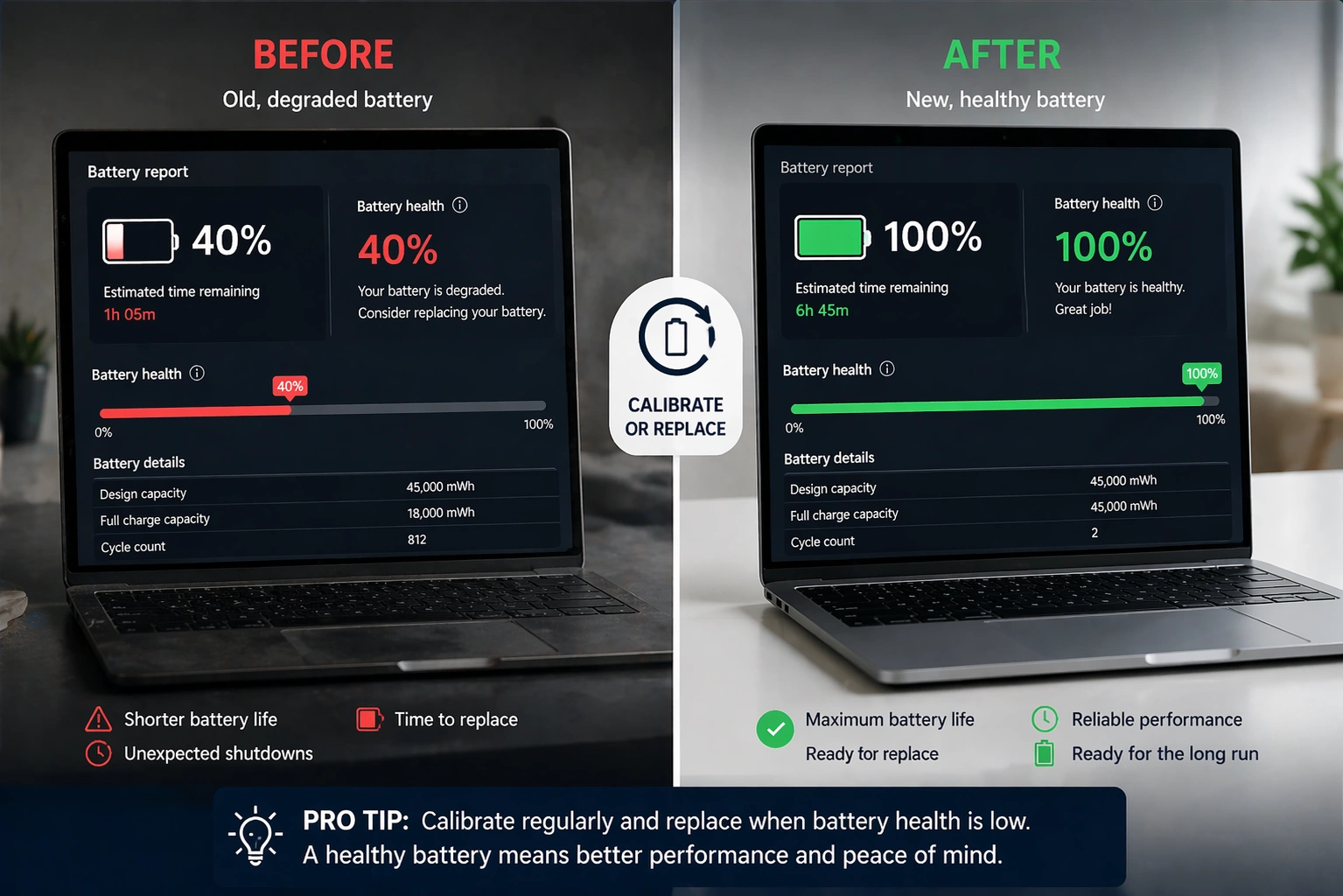
Compare the “Design Capacity” with “Full Charge Capacity” to understand your battery’s health. A significant difference indicates battery wear. If the full charge capacity drops below 80% of the design capacity, consider replacing the battery.

On Dell, HP, and Lenovo laptops, manufacturer apps such as SupportAssist, HP Support Assistant, or Lenovo Vantage also display battery health information.

Use Third-Party Software for Detailed Specs

Free tools provide even more detailed information than Windows built-in options.

  • CPU-Z focuses on processor, motherboard, memory, and graphics specifications. It shows the exact CPU model, codename, cache levels, and real-time frequency. Download it from the official CPUID website.
  • Speccy offers a clean interface showing everything in one place. It displays CPU, RAM, motherboard, graphics, storage, operating system, and audio details. The tool also displays component temperatures in real time.
  • HWiNFO provides the most comprehensive hardware analysis. It monitors temperatures, voltages, and fan speeds and includes benchmarking features. Professional technicians prefer this tool for detailed diagnostics.

Download these tools only from official websites to avoid malware. They work well when verifying specs of used laptops before purchase.

Check Specs on Different Windows Versions

How to Check Laptop Specifications in Windows 10

All methods described above work in Windows 10. The Settings app path is Settings > System > About. System Information (msinfo32) and Command Prompt methods remain identical.

How to Check Specs in Windows 11

Windows 11 uses the same tools with slight visual differences. Navigate to Settings > System > About for basic specs. The System Information tool and Command Prompt commands work the same way.

Windows 11 adds a shortcut to the About page in Settings. Right-click the Start button, then select System to open the About page directly.

Quick Reference: Shortcut Methods Summary

MethodShortcutWhat it Shows
System PropertiesWindows + Pause/BreakCPU, RAM, System Type
SettingsWindows + I, then System > AboutBasic Specs
System InformationWindows + R, type msinfo32Complete Hardware Details
DirectX ToolWindows + R, type dxdiagGraphics and Sound
Task ManagerCtrl + Shift + EscLive Performance Data
CMDWindows + R, type cmd, then systeminfoFull System Report

What Specifications Should You Check?

When buying or selling laptops in UAE, focus on these key specifications:

  • Processor (CPU): Look for Intel Core i5 or i7, or AMD Ryzen 5 or 7 for good performance. Check the generation number – higher means newer. A 12th Gen Intel Core i5 outperforms an 8th Gen Core i7.
  • RAM: 8GB serves basic tasks. 16GB handles multitasking and light creative work. 32GB suits professional workloads and gaming.
  • Storage: SSDs load faster than HDDs. Check capacity (256GB, 512GB, 1TB) and type (SATA SSD vs NVMe SSD).
  • Graphics: Integrated graphics handle office work. Dedicated GPUs from NVIDIA or AMD support gaming and creative applications.
  • Display: Note screen size, resolution, and panel type. IPS panels offer better colour accuracy than TN panels.

Frequently Asked Questions

What is the fastest shortcut key to check laptop specs?

Press Windows + Pause/Break together. This instantly opens System Properties showing your processor, RAM, and system type. If your laptop keyboard lacks the Pause/Break key, press Windows + I to open Settings, then navigate to System and About.

How do I know the full specs of my laptop?

Open System Information by pressing Windows + R, typing msinfo32, and pressing Enter. This tool displays complete hardware details including processor, RAM, BIOS version, motherboard, graphics card, network adapters, and storage devices. You can also export this information to a text file for future reference.

Can I check laptop specs without turning it on?

Check the sticker on the bottom of your laptop for basic information like model number and sometimes processor type. Visit the manufacturer’s website and enter the model number to see full original specifications. This method helps when buying used laptops in UAE.

Which free software best shows laptop specs?

Speccy provides the easiest interface with temperature monitoring. CPU-Z shows detailed processor and memory information. HWiNFO offers professional-level diagnostics. Download these tools from official websites only to ensure safety.

How do I check if my laptop can run a specific game or software?

First, note the software’s minimum and recommended requirements. Then check your laptop specs using any method above. Compare your processor, RAM, graphics card, and storage against the requirements. For gaming, graphics card specifications matter most.

Conclusion

Checking laptop specifications takes just a few clicks using Windows built-in tools. The Settings app handles basic queries, while System Information provides complete details. Command Prompt suits users comfortable with text commands. Third-party tools like Speccy and CPU-Z add extra features like temperature monitoring.

These methods work across all laptop brands including Dell, HP, ASUS, Lenovo, and Acer. Whether you use Windows 10 or Windows 11, the core tools remain the same.

At Tech Point Zone, we provide complete specifications for every laptop we sell. Browse our laptop collection with transparent specs, competitive prices, and free delivery across UAE. Need help choosing the right laptop for your needs? Our team guides you through specifications to match your requirements and budget.

Best Laptop for programming

Best Laptop for Programming – Complete Buying Guide for UAE Coders

Finding the best laptop for programming makes your coding life easier. A slow machine wastes your time. A good one lets you write code, run tests, and build projects without frustration.

This guide helps UAE developers, students, and professionals pick the best laptop for coding. We cover specs, brands, and real options at every budget. Whether you build websites, develop apps, or work with Python, you will find useful information here.

Tech Point Zone stocks laptops built for programmers. We deliver across Dubai, Abu Dhabi, and all of the UAE, with local warranty support.

What Makes a Good Programming Laptop?

Programming demands specific hardware. Your laptop needs to handle IDEs, multiple browser tabs, local servers, and testing tools all running together. Here is what matters most:

Processor (CPU)

The processor runs your code and compiles projects. For programming, clock speed matters more than core count for most tasks.

Minimum: Intel Core i5 12th Gen or AMD Ryzen 5 5000 series. These handle web development, Python scripts, and basic app development.

Recommended: Intel Core i7 or AMD Ryzen 7. These processors fly through larger projects and multitasking.

Best: Intel Core Ultra 9 or AMD Ryzen 9. Choose these for machine learning, game development, or compiling massive codebases.

RAM (Memory)

RAM determines how many applications you can run together. Programmers typically have their IDE, browser with many tabs, terminal, and testing tools open at once.

Minimum: 8GB works for beginners learning Python or basic web development. You will feel the limits quickly.

Recommended: 16GB suits most developers. Visual Studio Code, Android Studio, and Docker containers run smoothly.

Best: 32GB or higher for professional work with virtual machines, large databases, or AI development.

Storage

SSDs load your IDE and projects fast. Never buy a laptop with only a hard drive for coding.

Minimum: 256GB SSD handles basic projects and a few development environments.

Recommended: 512GB SSD gives room for multiple projects, databases, and tools.

Best: 1TB SSD or higher for game developers, data scientists, and anyone working with large files.

Display

You stare at code for hours. A good display reduces eye strain and shows more code at once.

Minimum: 14-inch Full HD (1920 x 1080). Suitable for students and portable coding.

Recommended: 15.6-inch Full HD or higher. Most developers prefer this size.

Best: 16-inch QHD or 4K display. Ideal for professionals who need screen space.

Best Laptop Brands for Programmers

Different brands serve different programmer needs. Here are the top choices for UAE developers:

Dell

Dell builds some of the finest laptops for programming. The Dell XPS series stands out for its premium build quality, stunning displays, and strong Windows performance.

The Dell XPS 13 and XPS 14 run Linux exceptionally well. Dell even offers Developer Edition models with Ubuntu pre-installed. For C# and .NET developers, full-stack engineers, and anyone using Visual Studio, Dell XPS laptops deliver outstanding results.

Dell laptops also offer good port selection and reliable customer support in the UAE.

Acer

Acer provides affordable programming laptops without sacrificing essential features. The Acer Swift series gives you portability and decent performance at lower prices.

The Acer Aspire 5 remains a popular choice among programming students. It offers good specs, upgradeable components, and reliable performance for the price. The Acer Nitro V series works well for developers who also want gaming capabilities.

Acer laptops suit beginners, students, and budget-conscious developers.

Lenovo

Lenovo ThinkPad laptops dominate the professional programming space. They offer legendary keyboards, military-grade durability, and excellent Linux support.

The ThinkPad T-series and P-series run coding workloads smoothly. Many system administrators and backend developers choose ThinkPads for their reliability.

HP

HP makes solid business laptops that handle programming tasks well. The HP EliteBook and HP Spectre x360 lines offer good build quality and performance.

Best Affordable Programming Laptops in the UAE

Not everyone needs a premium machine. These options work well for students and beginners:

Under AED 2,500

At this price, look for laptops with an Intel Core i5 or AMD Ryzen 5 processor and 8GB of RAM. The Acer Aspire 5 and ASUS Vivobook offer good value.

These laptops handle Python, JavaScript, basic web development, and learning projects. Upgrade the RAM later if needed.

AED 2,500 – 5,000

This range offers the best value for most programmers. You get 16GB RAM, better processors, and larger SSDs.

The Acer Swift Go 14 and Dell Inspiron 16 Plus sit in this range. They handle Android Studio, React Native, and more demanding development work.

AED 5,000+

Premium laptops like the Dell XPS 13, Dell XPS 14, and Lenovo ThinkPad T16 live here. You get top-tier performance, excellent displays, and build quality that lasts years.

Professional developers, software engineers, and data scientists benefit most from this category.

13 Inch Laptop for Coding

A 13-inch laptop offers maximum portability. You can code at coffee shops, carry it to meetings, and travel easily.

The Dell XPS 13 represents the gold standard for compact coding laptops. It packs a powerful processor and stunning display into a tiny frame. With up to 32GB RAM and fast SSD storage, the XPS 13 handles Visual Studio Code, Docker, and most development tasks without slowdowns.

The 13-inch size works well for:

  • Web developers who travel frequently
  • Students carrying laptops between classes
  • Frontend developers who use external monitors at their desks

However, 13-inch screens feel cramped when viewing multiple code panels. Consider a larger display if you work on complex projects without external monitors.

2-in-1 Laptop for Coding

Convertible laptops flip between laptop and tablet modes. Some programmers appreciate this flexibility for note-taking, sketching interfaces, or reading documentation.

The HP Spectre x360 14 and Lenovo Yoga series offer good 2-in-1 options for developers. They include touchscreens and stylus support while maintaining strong performance.

However, traditional laptops generally offer better keyboards and thermals for coding. Choose a 2-in-1 only if you specifically need the tablet functionality.

Best Battery Life Laptop for Programming

Long battery life matters when you code away from power outlets. Here is what to expect:

Dell XPS series: The Snapdragon-powered XPS 13 reaches over 20 hours. Intel versions last 10-12 hours.

MacBook alternatives: The Dell XPS 14 and Lenovo ThinkPad T16 offer 8-10 hours under normal coding workloads.

Gaming laptops: Expect 3-5 hours of battery life under load. These machines prioritise performance over battery life.

For all-day coding without charging, the Dell XPS 13 with a Snapdragon processor leads the pack. The Intel Lunar Lake version also delivers excellent battery life while running Windows applications natively.

Best Windows Laptop for Programming

Windows remains the most versatile operating system for developers. It runs .NET frameworks natively, supports most enterprise software, and offers Windows Subsystem for Linux (WSL) for Unix tools.

The Dell XPS 14 stands as our top Windows choice for programmers. It delivers:

  • Intel Core Ultra 7 processor for fast compilation
  • Up to 64GB RAM for heavy multitasking
  • Optional RTX 4050 GPU for machine learning
  • Stunning 3.2K OLED display for sharp code rendering
  • Thunderbolt 4 ports for external monitors

The Dell XPS line also supports Linux well. You can dual-boot or run WSL without issues. For UAE developers working with Microsoft technologies, enterprise software, or cross-platform development, the Dell XPS 14 offers the complete package.

Tech Point Zone stocks Dell XPS laptops with a full UAE warranty and free delivery across the Emirates.

Programming Laptop for Different Developer Types

Different programming work needs different hardware. Here is a breakdown:

Web Developers

Web development runs well on most modern laptops. An Intel Core i5, 16GB RAM, and 256GB SSD handle HTML, CSS, JavaScript, React, Vue, and Angular projects smoothly.

The Dell XPS 13 or Acer Swift series work perfectly for frontend and full-stack web developers.

Mobile App Developers

Android Studio demands more resources. You need at least 16GB of RAM and a fast processor to run the emulator without lag.

iOS development requires a Mac. However, cross-platform frameworks like React Native and Flutter run on Windows and Linux machines.

Python Developers and Data Scientists

Basic Python scripting runs on any laptop. However, data science work with Pandas, NumPy, and machine learning libraries benefits from 32GB RAM and a dedicated GPU.

The Dell XPS 15 or ASUS ProArt P16 handles data science workloads well.

Game Developers

Game development needs serious hardware. Unity and Unreal Engine require dedicated graphics cards, 32GB RAM, and fast processors.

Gaming laptops like the ASUS ROG series or Racer Blade offer the power you need.

Acer Laptop for Programming

Acer offers solid value across its laptop range. Here are the best Acer options for coders:

Acer Swift Series

The Acer Swift 3 and Swift Go 14 deliver portable coding machines at reasonable prices. They feature:

  • Intel Core i7 or AMD Ryzen 7 processors
  • Up to 16GB RAM
  • Fast SSD storage
  • 14-inch displays with good colour accuracy
  • All-metal construction
  • Long battery life (up to 18 hours claimed)

The Swift series suits web developers, students, and anyone who needs portability without premium pricing.

Acer Aspire 5

The Acer Aspire 5 remains a budget favourite. It offers:

  • Mid-range Intel or AMD processors
  • 8GB RAM (upgradeable)
  • 512GB SSD
  • 15.6-inch Full HD display
  • Good port selection

Programming students and beginners find excellent value here. The Aspire 5 handles Python, JavaScript, and basic development tasks at an affordable price.

Acer Nitro V 15

Developers who also game appreciate the Acer Nitro V 15. It combines:

  • Intel Core i7 processor
  • NVIDIA RTX graphics
  • 16GB RAM
  • 15.6-inch 144Hz display
  • Gaming keyboard with good travel

The Nitro handles demanding IDEs and game engines while doubling as an entertainment machine.

Why Choose Dell XPS for Programming?

The Dell XPS series deserves special attention for programmers. Here is why many developers choose XPS laptops:

Build Quality

Dell uses premium materials throughout the XPS range. CNC-machined aluminium and carbon fibre create laptops that feel solid and last years.

Display Excellence

XPS displays rank among the best available. The InfinityEdge bezels maximise screen space. OLED options deliver perfect blacks and vibrant colours, making code easier to read.

Linux Support

Dell officially supports Ubuntu on XPS laptops. The Developer Edition comes with Ubuntu pre-installed and fully configured. Even Windows models run Linux distributions smoothly.

Performance

XPS laptops pack powerful hardware into thin frames. The cooling systems maintain consistent performance during long coding sessions.

Developer Focus

Dell designed the XPS line with developers in mind. Features like:

  • Multiple Thunderbolt 4 ports for external monitors
  • Fast SSD storage
  • Upgradeable RAM on some models
  • Excellent keyboards for long typing sessions

All these make the XPS series ideal for professional programming work.

Tech Point Zone offers Dell XPS 13, XPS 14, and XPS 15 models with a UAE warranty and free delivery.

Which Laptop Brand Is Best for Programmers?

No single brand fits everyone. Your best choice depends on your specific needs:

  • Choose Dell for premium Windows development, .NET work, Linux support, and professional environments. The XPS series offers the best combination of performance, display quality, and build.
  • Choose Acer for budget-friendly options that still deliver solid performance. Students and beginners get excellent value from Swift and Aspire models.
  • Choose Lenovo for legendary keyboards, durability, and enterprise environments. ThinkPads dominate system administration and backend development.
  • Choose HP for versatile business laptops with good support. The Spectre and EliteBook lines serve developers well.

For most UAE developers, the Dell XPS 13 or XPS 14 offers the best overall experience. They balance performance, portability, display quality, and build in one premium package—Tech Point Zone stocks Dell XPS models with local warranty support.

How Good of a Laptop Do You Need for Coding?

Many beginners worry they need expensive hardware. The truth is simpler.

Basic programming like HTML, CSS, JavaScript, and Python runs on nearly any modern laptop. An Intel Core i3 or AMD Ryzen 3 with 8GB RAM handles learning and small projects.

Professional development benefits from better hardware. An Intel Core i5 or higher with 16GB RAM provides smooth performance for most development work.

Heavy workloads, such as machine learning, game development, and large-scale applications, require powerful machines. Intel Core i7/i9, 32GB+ RAM, and dedicated graphics make these tasks manageable.

Start with what you can afford. You can always upgrade later or add external monitors and storage. A capable mid-range laptop serves most developers well for years.

Can Python Run on Any Laptop?

Yes, Python runs on virtually any laptop made in the last decade.

Python itself requires minimal resources. The interpreter uses little RAM and CPU power. Basic scripts and learning projects run smoothly on budget hardware.

However, what you do with Python matters. Web scraping with simple scripts? Any laptop works. Training neural networks with TensorFlow? You need serious hardware.

Here is a breakdown:

  • Any laptop handles: Python basics, learning, simple scripts, web development with Flask or Django, automation tasks.
  • Mid-range laptops handle: Data analysis with Pandas, web scraping at scale, API development, most Django and FastAPI projects.
  • Powerful laptops needed: machine learning with scikit-learn, deep learning with TensorFlow or PyTorch, large-scale dataset processing, and computer vision projects.

For most Python programming in the UAE, a laptop with 8-16GB RAM and an Intel Core i5 or AMD Ryzen 5 provides a smooth experience.

Is Core i5 Good for Programming?

Yes, Intel Core i5 handles most programming tasks well.

Modern Core i5 processors (12th generation and newer) offer excellent performance. They include multiple cores, good clock speeds, and efficient architecture. Visual Studio Code, PyCharm, Android Studio, and most IDEs run smoothly.

The Intel Core i5 suits:

  • Web development (React, Vue, Angular, Node.js)
  • Python development (Django, Flask, data analysis)
  • Mobile app development (React Native, Flutter)
  • Basic machine learning projects
  • Database work and API development

Consider Core i7 or higher when you need:

  • Faster code compilation for large projects
  • Multiple virtual machines
  • Professional game development
  • Heavy machine learning workloads
  • Large-scale data processing

For most UAE developers and students, Core i5 provides excellent value. Pair it with 16GB of RAM and a fast SSD for a capable coding machine.

Where to Buy Programming Laptops in the UAE

Tech Point Zone offers a range of laptops for programmers across the UAE. We stock Dell, ASUS, Acer, HP, and Lenovo models with competitive pricing.

Every purchase includes:

  • Official UAE warranty
  • Free delivery across Dubai, Abu Dhabi, Sharjah, and all Emirates
  • Expert advice on choosing the right specs
  • After-sales support

Browse our collection of the best laptops for students or explore our Dell laptop range for programming options.

FAQs

Do I need a dedicated graphics card for programming?

Most programming tasks do not need a dedicated GPU. Integrated graphics handle web development, and Python and Java work perfectly with most IDEs.

You need a dedicated GPU for game development (Unity, Unreal Engine), machine learning with CUDA, 3D rendering, and video editing, as well as coding.

Should I buy a gaming laptop for programming?

Gaming laptops work well for programming. They offer powerful processors, ample RAM, and good displays. However, they tend to be heavier, have shorter battery life, and run hotter than business laptops.

If you want both gaming and coding, a gaming laptop makes sense. For pure development work, business laptops like the Dell XPS offer better value.

How long should a programming laptop last?

A good programming laptop lasts 4-6 years with proper care. Choose specifications slightly above your current needs to stay productive longer.

Buying with upgradeability in mind helps too. Some laptops allow RAM and SSD upgrades, extending their useful life.

Is 8GB RAM enough for programming?

8GB of RAM is enough for beginners and basic development. You can run Visual Studio Code, a browser, and a terminal without major issues.

However, 16GB provides a much smoother experience. Android Studio, Docker, multiple browser tabs, and modern IDEs benefit from extra memory. We recommend 16GB as the minimum for serious development work.

Which is better for programming: Windows or Linux?

Both work well. Windows offers broader software compatibility, better for .NET and enterprise development. Linux provides native Unix tools that are better suited for server-side development and DevOps.

Many developers use both. The Dell XPS series supports both operating systems excellently, letting you choose or dual-boot.

Dell xps 13 vs macbook air

Dell XPS 13 vs MacBook Air – Complete Comparison Guide for UAE Buyers

Choosing between the Dell XPS 13 and MacBook Air ranks among the toughest laptop decisions you can make. Both machines deliver premium-quality, stunning designs and excellent performance in compact packages.

This comparison breaks down all the key differences between these ultrabooks. We cover specifications, battery life, display quality, software compatibility, and value for money. By the end, you will know exactly which laptop fits your needs.

Quick Comparison: Dell XPS 13 vs MacBook Air

FeatureMacBook Air M4
ProcessorApple M4 (10-core)
RAMUp to 32GB unified
StorageUp to 2TB SSD
Display13.6-inch Liquid Retina
Battery LifeUp to 18 hours
Weight1.24kg (2.7 lbs)
Ports2x Thunderbolt 4, MagSafe, 3.5mm jack
OSmacOS

Design and Build Quality

Dell XPS 13 Design

The Dell XPS 13 features a stunning aluminium chassis that looks and feels premium. The InfinityEdge display creates an almost borderless screen with incredibly thin bezels. This design makes the 13.4-inch display fit into a remarkably compact body.

Dell offers the XPS 13 in multiple colours, including Platinum Silver and Graphite. The laptop measures just 14.8mm thick and weighs approximately 1.21kg, making it extremely portable for daily commuting across Dubai, Abu Dhabi, or anywhere in the UAE.

The keyboard uses a zero-lattice design with tightly packed keys. Some users love this modern aesthetic, while others prefer traditional key spacing. The haptic touchpad blends seamlessly into the palm rest, creating a unified glass surface.

MacBook Air Design

Apple’s MacBook Air maintains its iconic aluminium unibody construction. The M4 version continues the flat, slab-like design introduced with the M2 model. Build quality remains exceptional, as expected from Apple products.

The MacBook Air is slightly thinner at 11.3mm, compared to the XPS 13’s 14.8mm. Both laptops weigh nearly identical amounts, so portability comes down to personal preference rather than significant weight differences.

Apple offers four colour options: Midnight, Starlight, Space Grey, and Silver. The traditional keyboard layout with physical function keys appeals to users who prefer conventional designs.

Dell XPS 13 Weight vs MacBook Air

Both laptops weigh approximately the same at around 1.21-1.24kg. The Dell XPS 13 actually edges out slightly lighter in most configurations. Either machine slips easily into a backpack without adding noticeable weight.

Display Comparison

Dell XPS 13 Display Options

Dell provides multiple display configurations for the XPS 13. The base model features a 13.4-inch FHD+ (1920×1200) IPS panel. Mid-range options include a higher resolution display with improved brightness.

The flagship configuration offers a stunning 3K (2880×1800) OLED touchscreen. This panel delivers perfect blacks, vibrant colours, and excellent HDR performance. Content creators and media enthusiasts appreciate the superior contrast ratios OLED technology provides.

The 16:10 aspect ratio provides more vertical screen space than traditional 16:9 displays. This ratio benefits productivity tasks, document editing, and web browsing.

MacBook Air Display

The MacBook Air uses Apple’s Liquid Retina display technology. The 13.6-inch panel runs at 2560×1664 resolution with 500 nits of brightness. Colours appear accurate and vibrant, though the panel uses IPS rather than OLED technology.

Apple’s display looks excellent for everyday use. However, it lacks the deep blacks and infinite contrast that OLED screens provide. The MacBook Air also misses touchscreen functionality entirely.

Display Winner

The Dell XPS 13 wins the display comparison when configured with the OLED panel. The touchscreen capability adds versatility for note-taking and creative work. Budget-conscious buyers should note that OLED configurations cost significantly more than the base model.

Performance: Intel/Snapdragon vs Apple Silicon

Dell xps 13 vs macbook air

Dell XPS 13 Performance

The latest Dell XPS 13 offers two processor options: Intel Core Ultra (Lunar Lake) and Qualcomm Snapdragon X Elite. Both deliver impressive performance for everyday tasks.

The Intel Core Ultra 7 256V version provides excellent multi-core performance and complete compatibility with all Windows applications. The Snapdragon X Elite variant offers exceptional battery efficiency and strong performance, though some Windows applications require emulation.

In benchmark tests, the Dell XPS 13 with Snapdragon X Elite achieves impressive scores. Cinebench R23 multi-core results show competitive performance against Apple’s M-series chips. Real-world tasks like document editing, web browsing, and video streaming run smoothly on either processor option.

MacBook Air M4 Performance

Apple’s M4 chip delivers outstanding performance per watt. The 10-core CPU handles demanding tasks efficiently while maintaining excellent battery life. The integrated GPU performs well for light creative work and casual gaming.

The MacBook Air runs silently because it uses passive cooling without fans. Under sustained heavy loads, the processor may throttle slightly to manage heat. For typical productivity tasks, users rarely notice any performance limitations.

M2 MacBook Air vs Dell XPS 13

The Dell XPS 13 vs MacBook Air M2 comparison shows Apple’s chip excelling in single-core tasks and power efficiency. The M2 MacBook Air delivers snappy performance for everyday computing. However, the latest XPS 13 with Lunar Lake or Snapdragon processors now matches or exceeds the M2 in many benchmarks.

Mac M1 vs Dell XPS

Comparing the Mac M1 vs Dell XPS reveals that older Intel-based XPS models struggled against Apple Silicon efficiency. However, current XPS 13 versions with Snapdragon X Elite now compete directly with Apple’s chips in both performance and battery life.

Battery Life

Dell XPS 13 Battery Performance

The Dell XPS 13 delivers remarkable battery life with its latest processors. The Snapdragon X Elite version lasted over 20 hours in Tom’s Guide testing, making it one of the longest-lasting consumer laptops ever tested.

The Intel Lunar Lake model achieves approximately 17-18 hours of real-world use. Even the OLED display version, which consumes more power, manages around 8-9 hours of continuous use.

Dell’s battery performance represents a significant improvement over previous generations. Users can confidently leave their chargers at home for full workdays.

MacBook Air Battery Performance

Dell xps 13 vs macbook air

Apple advertises up to 18 hours of battery life for the M4 MacBook Air. Real-world testing confirms approximately 14-15 hours of mixed use, which remains impressive for an ultrabook.

The MacBook Air’s ARM-based processor excels at power efficiency. Users consistently achieve all-day battery life without concerns about finding power outlets.

Battery Life Winner

The Dell XPS 13 with Snapdragon X Elite wins the battery comparison with its class-leading 20+ hour endurance. The Intel version and MacBook Air deliver similar performance, both providing excellent all-day battery life.

Software Compatibility and Operating System

Windows 11 Advantages

The Dell XPS 13 runs Windows 11, offering complete compatibility with enterprise software, business applications, and professional tools. Engineering software, accounting packages, and industry-specific applications typically run natively on Windows.

Windows provides superior flexibility for gaming. Access to Steam, Epic Games Store, and other platforms opens a vast library of titles. While the XPS 13 lacks a dedicated graphics processor, it handles casual gaming and older titles adequately.

For UAE businesses using Microsoft 365, SharePoint, or other Microsoft services, Windows integration remains seamless. IT departments often prefer Windows devices for easier management and policy enforcement.

macOS Considerations

The MacBook Air runs macOS, which offers a clean, intuitive interface. Apple’s ecosystem integration appeals to users with iPhones, iPads, and other Apple devices. Features like AirDrop, Handoff, and Universal Control work flawlessly.

However, macOS presents limitations for certain professional software. AutoCAD works on Mac, but many engineering applications require Windows. Revit, the industry-standard BIM software, runs exclusively on Windows.

Some Windows applications run on Mac through emulation or virtualisation software like Parallels. This adds cost and complexity while potentially reducing performance.

Software Compatibility Winner

Windows wins for software compatibility. The Dell XPS 13 runs virtually any Windows application natively. Users needing specific professional software should verify Mac compatibility before purchasing a MacBook Air.

Price Comparison in the UAE

Dell XPS 13 Pricing

The Dell XPS 13 starts at approximately AED 4,400 for base configurations in the UAE. Mid-range models with better processors and displays typically cost AED 5,500-7,000. The top-spec OLED versions reach AED 8,500 or higher.

Dell frequently offers promotions and discounts through authorised retailers. Tech Point Zone stocks Dell XPS 13 models at competitive prices with local warranty support.

MacBook Air Pricing

The MacBook Air M4 starts at approximately AED 4,600 in the UAE. Upgraded configurations with more storage and RAM push prices toward AED 6,000-8,000.

Apple products rarely receive significant discounts. The starting price remains relatively fixed across authorised retailers.

Value Analysis

The Dell XPS 13 offers better value at most price points. The base configuration includes comparable specifications to the MacBook Air at a lower starting price. The OLED display option provides capabilities no MacBook Air can match.

Ports and Connectivity

Dell XPS 13 Ports

The Dell XPS 13 includes only two Thunderbolt 4 USB-C ports. This minimalist approach requires adapters or docking stations for connecting external peripherals. Dell includes a USB-C-to-USB-A adapter in the box.

Wi-Fi 7 and Bluetooth 5.4 provide cutting-edge wireless connectivity. The laptop supports fast charging, reaching 80% battery in approximately one hour.

MacBook Air Ports

The MacBook Air features two Thunderbolt 4 USB-C ports, a MagSafe charging port, and a 3.5mm headphone jack. The MagSafe connector leaves both USB-C ports free for accessories, providing a practical advantage.

Wi-Fi 6E and Bluetooth 5.3 handle wireless connections reliably. MagSafe’s magnetic attachment also protects the laptop if someone trips over the charging cable.

Ports Winner

The MacBook Air wins the port comparison thanks to MagSafe charging and the headphone jack. The Dell XPS 13 sacrifices one USB-C port for charging, limiting connectivity options.

Why Choose Dell XPS 13

The Dell XPS 13 makes sense for buyers who need Windows compatibility. Professional software, gaming access, and enterprise integration all favour Windows.

The OLED display option delivers superior visual quality for content consumption and creative work. Battery life now matches or exceeds MacBook Air performance with the latest processor options.

UAE buyers benefit from local Dell service centres and warranty support across the Emirates. Tech Point Zone offers competitive pricing on Dell XPS 13 models with a full manufacturer’s warranty.

Students pursuing engineering degrees should consider the Dell XPS 13 for software compatibility. Check out our guide to the best laptops for engineering students for detailed recommendations.

Why Choose MacBook Air

The MacBook Air appeals to users already invested in Apple’s ecosystem. Seamless integration with iPhones, iPads, and other Apple devices creates a unified experience.

Creative professionals using Final Cut Pro, Logic Pro, or other Apple-exclusive software benefit from native macOS support. The fanless design ensures completely silent operation.

However, Tech Point Zone currently focuses on Windows laptops and does not stock MacBook models. UAE customers seeking MacBooks should visit the Apple Store or authorised Apple resellers.

Which Should You Buy?

Choose Dell XPS 13 If:

You need Windows software compatibility for work or study. Professional applications, accounting software, and engineering tools typically require Windows.

You want the best battery life available. The Snapdragon X Elite version delivers class-leading endurance of 20+ hours.

You prefer OLED display technology. The stunning 3K touchscreen offers visuals no MacBook Air can match.

You value flexibility and customisation. Windows provides more control over system settings and software choices.

Choose MacBook Air If:

You already own multiple Apple devices and want seamless ecosystem integration.

You use Apple-exclusive software, such as Final Cut Pro or Logic Pro, professionally.

You prioritise silent operation with the fanless cooling design.

You prefer the traditional keyboard layout over Dell’s zero-lattice design.

Budget Alternatives

Not everyone needs a premium ultrabook. Budget-conscious buyers can find excellent laptops at lower price points.

Check out our budget laptop guide under 500 AED for affordable options that handle basic computing tasks effectively.

Consider refurbished laptops for premium specifications at reduced prices. Learn the difference between used and refurbished laptops before making purchasing decisions.

Buy Dell XPS 13 at Tech Point Zone

Tech Point Zone stocks Dell XPS 13 models at competitive prices in the UAE. Every laptop includes a full manufacturer’s warranty valid in the UAE. Free delivery is available to Dubai, Abu Dhabi, Sharjah, and all emirates for qualifying orders.

Our team helps customers choose the right configuration for their needs. Contact us for current stock availability and pricing on Dell XPS 13 models.

Frequently Asked Questions

Is the Dell XPS 13 better than the MacBook Air?

Both excel in different areas. The Dell XPS 13 offers better Windows compatibility, superior OLED display options, and longer battery life with Snapdragon processors. The MacBook Air provides better Apple ecosystem integration and completely silent operation.

Which lasts longer: the Dell XPS 13 or the MacBook Air?

The Dell XPS 13 with Snapdragon X Elite processor lasts over 20 hours, exceeding MacBook Air’s approximately 15-18 hours. The Intel Lunar Lake version matches MacBook Air’s battery performance.

Can I run Windows software on a MacBook Air?

Some Windows software runs through emulation or virtualisation software like Parallels. However, this adds cost and complexity. Many professional applications work better on native Windows.

Is the Dell XPS 13 good for students?

Yes. The lightweight design, excellent battery life, and Windows compatibility make it ideal for students. Engineering and architecture students particularly benefit from access to Windows software.

Does the Dell XPS 13 have a touchscreen?

Yes. The OLED display configurations include touchscreen functionality. Base IPS models may not include touch capability depending on configuration.

Which is lighter, the Dell XPS 13 or the MacBook Air?

Both weigh approximately the same at around 1.21-1.24kg. The Dell XPS 13 is marginally lighter in most configurations.

Can I game on a Dell XPS 13?

The Dell XPS 13 handles casual gaming and older titles adequately. It lacks dedicated graphics, so demanding modern games won’t run well. For serious gaming, consider laptops with discrete GPUs.

Where can I buy a Dell XPS 13 in the UAE?

Tech Point Zone stocks Dell XPS 13 models with local warranty and free delivery across the UAE. Contact our team for current availability and pricing.

Conclusion

The Dell XPS 13 vs MacBook Air comparison comes down to your specific needs and software requirements. Both laptops deliver premium build quality, excellent performance, and all-day battery life in ultraportable packages.

The Dell XPS 13 stands out as the better choice for most UAE buyers. Its Windows compatibility opens doors to professional software, engineering applications, and gaming options that macOS cannot match. The stunning OLED display option surpasses anything Apple offers in the MacBook Air lineup. And with the Snapdragon X Elite processor, battery life now exceeds even Apple’s legendary efficiency.

For students, professionals, and everyday users who need reliable Windows performance, the Dell XPS 13 delivers exceptional value. The compact design makes it easy to travel across Dubai, Abu Dhabi, or anywhere your work takes you.

Tech Point Zone stocks Dell XPS 13 models at competitive prices with full UAE warranty coverage. Free delivery is available to all emirates on qualifying orders. Browse our collection online or contact our team for personalised recommendations based on your needs and budget.

Ready to upgrade your laptop? Visit Tech Point Zone today and experience the Dell XPS 13 difference.

Best Laptops Under 500 AED

Best Laptops Under 500 AED in UAE – A Complete Buying Guide (2026)

Need a laptop but working with a tight budget? Good news, as you can find solid laptops under 500 AED in Dubai and across the UAE. These cheap-rate laptops work well for students, home users, and anyone who needs a basic computer for everyday tasks.

In this guide, we cover everything you need to know before buying a laptop below 500 AED. We share the best options, what specs to expect, and where to find genuine deals.

Are Laptops Cheap in the UAE?

Yes, laptops in the UAE offer great value compared to many other countries. Dubai has a competitive electronics market with many sellers fighting for your business. This keeps prices low.

For budget buyers, the UAE market offers two main options:

  1. New budget laptops – Basic Chromebooks and entry-level Windows laptops
  2. Refurbished business laptops – Previously used HP, Dell, and Lenovo machines at steep discounts

Both options give you reliable performance at a low laptop price. The key is knowing what to look for and where to shop.

What is a Good Laptop for Under 500 AED?

At this price point, refurbished business laptops offer the best value. These machines originally cost 3,000-5,000 AED when new. Companies like HP, Dell, and Lenovo built them for corporate use, so they last longer than consumer models.

Here are the top-rated budget laptops under 500 AED with good performance:

HP EliteBook 840 G1/G3

Price: 350-450 AED

This 14-inch laptop handles office work without any issues. The Intel Core i5 processor and 8GB RAM let you run multiple browser tabs, Word documents, and spreadsheets at the same time.

Best for: Office workers and students who type a lot

Dell Latitude E7440/E7470

Price: 400-499 AED

Dell built this laptop for business professionals. The thin design makes it easy to carry, and the 256GB SSD gives you fast boot times. Many models come with backlit keyboards – helpful for working at night.

Best for: People who travel or work from different locations

Lenovo ThinkPad T440/T450

Price: 380-499 AED

ThinkPads have a reputation for lasting years. The keyboard feels excellent for typing long documents. Most models support RAM and storage upgrades, so you can improve performance later.

Best for: Students writing assignments and research papers

Lenovo Chromebook / Dell Chromebook 11

Price: 125-300 AED

Chromebooks run Chrome OS instead of Windows. They start up in seconds and work great for browsing, YouTube, Google Docs, and online classes. These laptops under 500 AED in Dubai suit students who do most of their work online.

Best for: Students using Google Classroom or web-based tools

HP ProBook 430/450

Price: 350-499 AED

HP designed these for small business use. You get a solid build, decent battery life, and reliable performance for basic tasks. The 15.6-inch screen models work well if you prefer a larger display.

Best for: Home users and small business owners

What Specifications to Expect from a Laptop Under 500 AED

Before buying, know what specs work at this price range. Here is what you should look for:

Processor (CPU)

Expect Intel Core i3, Core i5, or AMD equivalent processors. For smooth performance, aim for at least a 4th-generation Intel Core i5. Avoid Celeron processors unless you only browse the web.

RAM (Memory)

Get at least 4GB RAM. Ideally, look for 8GB. This lets you run multiple programs without slowdowns. Many refurbished laptops come with 8GB already installed.

Storage

You will find two types:

  • HDD (Hard Drive): 500GB storage, but slower speed
  • SSD (Solid State Drive): 128-256GB storage, but much faster

We recommend SSD models. Your laptop will start faster and feel more responsive.

Screen Size

Most budget laptops come in 13.3-inch, 14-inch, or 15.6-inch screens. Pick based on your needs – smaller screens for portability, larger screens for easier reading.

Battery Life

Refurbished laptops may have worn batteries. Check if the seller tests battery health. Most models give you 3-5 hours of use, which works for home or office use, with charging available.

Are There Any Good Student Laptops for Under 500 AED?

Absolutely. Students can find excellent options at this price. Here are the best laptops under 500 dirhams for basic use in school or university:

For taking notes and writing:

  • Lenovo ThinkPad T440 (great keyboard)
  • HP EliteBook 840 (lightweight and portable)

For online classes and video calls:

  • Dell Latitude E7440 (good webcam and microphone)
  • Any laptop with 8GB RAM for smooth video streaming

For research and browsing:

  • Chromebooks (fast, simple, and affordable)
  • Dell Latitude 3340 (compact and reliable)

For presentations:

  • HP ProBook 450 (HDMI output for connecting to projectors)

Most refurbished business laptops handle Microsoft Office, Zoom, Google Meet, and web browsing without problems. They also run educational software used in UAE schools.

Can You Get Touchscreen Laptops Under 500 AED?

Yes, but options are limited. Some refurbished 2-in-1 laptops fall into this price range:

  • Lenovo ThinkPad Yoga 11e – 400-499 AED
  • HP EliteBook x360 – Sometimes available under 500 AED
  • Dell Latitude 3340 Touch – 450-499 AED

Touchscreen laptops under 500 AED are usually refurbished. Check that the touch function works properly before buying.

New Laptop vs Refurbished: Which Should You Buy?

This decision matters when shopping for laptops under 500 AED. Here is an honest comparison:

New Laptops Under 500 AED

Pros:

  • Fresh battery and components
  • Full manufacturer warranty
  • Latest software pre-installed

Cons:

  • Very basic specs (Celeron processor, 4GB RAM)
  • Slower performance for multitasking
  • Mostly Chromebooks at this price

Refurbished Laptops Under 500 AED

Pros:

  • Better specs (Core i5, 8GB RAM, SSD)
  • Business-grade build quality
  • More powerful for the same money

Cons:

  • Older design and heavier weight
  • The battery may have reduced capacity
  • Shorter warranty (3-12 months typically)

Our recommendation: If you need Windows and decent performance, go with refurbished. If you mainly use web apps and want a new device, consider a Chromebook.

Want to understand this better? Read our detailed guide on the difference between used and refurbished laptops.

What to Check Before Buying Refurbished Laptops

  1. Warranty – Get at least 3 months coverage
  2. Return policy – 7-14 days minimum
  3. Battery test – Ask about battery health percentage
  4. Physical condition – Minor scratches are okay, but avoid cracked screens or broken keyboards

Tips for Getting the Best Deal

Follow these tips to find the best laptops under 500 AED available in the UAE:

1. Compare prices across sellers. The same laptop model can vary by 50-100 AED between shops. Take time to check multiple sources.

2. Look for bundle deals. Some sellers include a free mouse, bag, or extra RAM upgrade. These add value to your purchase.

3. Ask about upgrades. Many shops offer RAM or SSD upgrades at a low cost. A 4GB to 8GB RAM upgrade makes a big difference.

4. Check for sales Dubai Shopping Festival, White Friday, and back-to-school seasons bring extra discounts.

5. Buy from certified sellers. At Tech Point Zone, we test every refurbished laptop and provide a genuine warranty. This protects your purchase.

What Can You Actually Do with a Laptop Under 500 AED?

These laptops handle everyday tasks without issues:

Works well:

  • Microsoft Word, Excel, PowerPoint
  • Web browsing (Chrome, Firefox)
  • Email and social media
  • YouTube and Netflix streaming
  • Zoom and Google Meet video calls
  • Basic photo editing
  • Online learning platforms

Works but may be slow:

  • Multiple browser tabs (20+)
  • Large spreadsheets
  • Light photo editing in Photoshop

Not recommended:

  • Video editing
  • Gaming (except very basic games)
  • 3D modeling or CAD software
  • Running virtual machines

Know your needs before buying. For basic use, these laptops do the job well.

Frequently Asked Questions

Do cheap laptops last long?

Refurbished business laptops often last 3-5 more years with proper care. New budget laptops vary in quality. Stick to known brands.

Q: Can I upgrade a laptop under 500 AED later?

Most refurbished HP, Dell, and Lenovo models allow RAM and storage upgrades. Chromebooks usually cannot be upgraded.

Q: Is it safe to buy refurbished laptops online?

Yes, when you buy from trusted sellers like Tech Point Zone. We provide warranty and proper testing on all units.

Q: Do these laptops come with Windows?

Refurbished Windows laptops come with genuine Windows 10 or 11. Chromebooks run Chrome OS (cannot install Windows).

Final Thoughts

Finding a good laptop under 500 AED in the UAE is possible. Refurbished business laptops from HP, Dell, and Lenovo give you the best performance at this price. New Chromebooks work well for students who use web-based tools.

At Tech Point Zone, we help buyers find high-quality laptops that fit their budgets. 

Need help choosing? WhatsApp us or visit our Dubai store. Our team will guide you to the right laptop for your needs and budget.


Back to Top
Compare (0)